Solving Problems
4326 9562-007 5-15
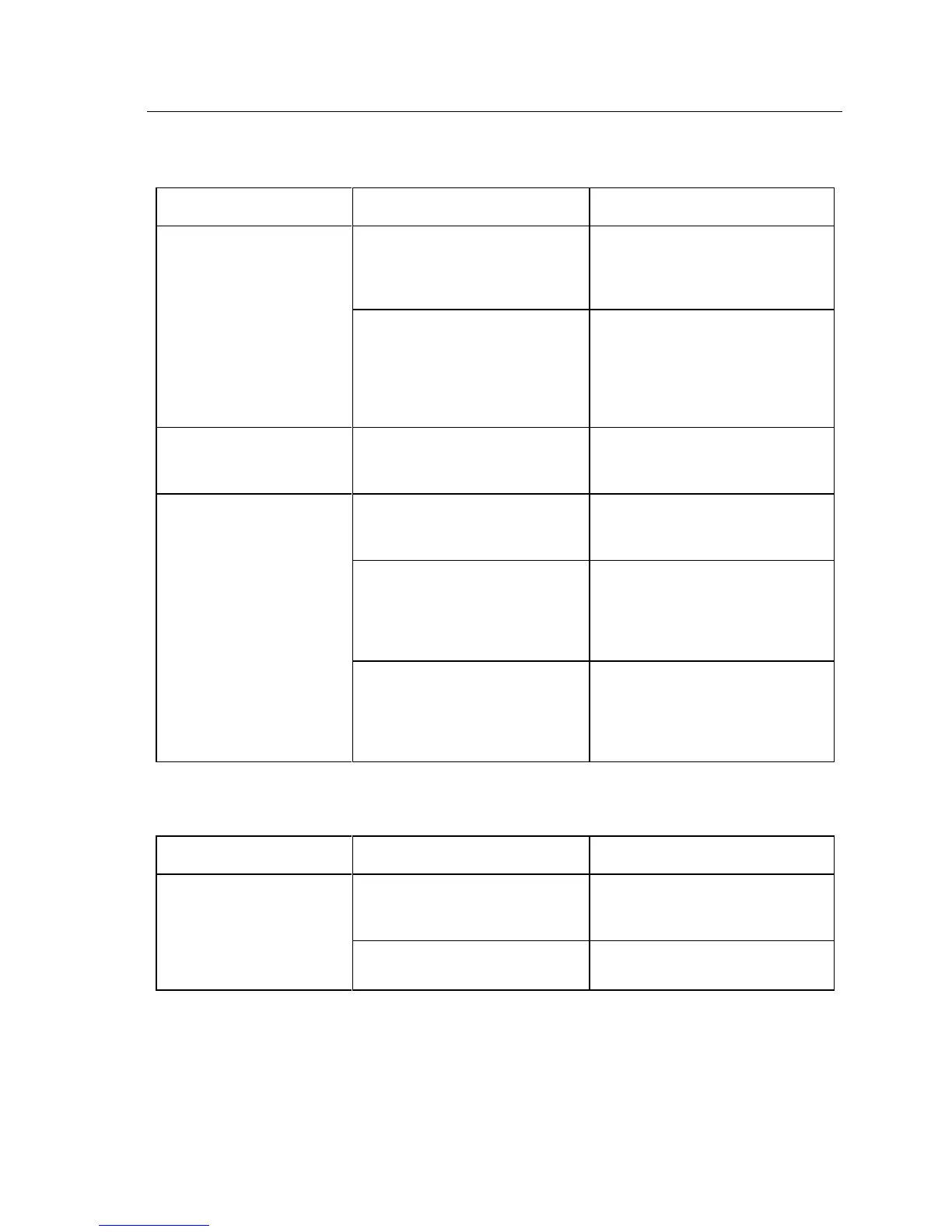
Pockets
Documents buckle and jam
in pockets, stack poorly.
Check limiters not set correctly.
Move the check limiter out far
enough to accommodate the longest
document.
(All units except Professional units
with automatic feeder flag.) Pocket
fingers damaged, missing, or
incorrectly installed.
(All units except Professional units
with automatic feeder flag.)
Ensure pocket fingers are in good
condition and correctly positioned in
pocket walls.
All documents flow to wrong
pocket.
Defective pocketing mechanism.
If problem exists using other
applications the unit requires repair.
Some items flow to wrong
pocket.
Defective pocketing mechanism.
If problem exists using other
applications the unit requires repair.
Poor magnetic (MICR) reader
performance.
Verify reader is performing as
expected. See “Reader.” If problem
exists using other applications the
unit requires repair.
Inadequate image quality.
If a CAR/LAR application is in use
verify it is operating correctly, view
images if possible. Clean the front
and rear image glass and retry.
LCD Display (Expert Units)
Display is blank or shows
incorrect characters.
If problem persists with other
applications the unit requires repair.
The unit requires repair.


 To Next Page