Operating the Unit
4326 9562-007 2-19
Manually Removing Stopped Items from the Track (All
Units)
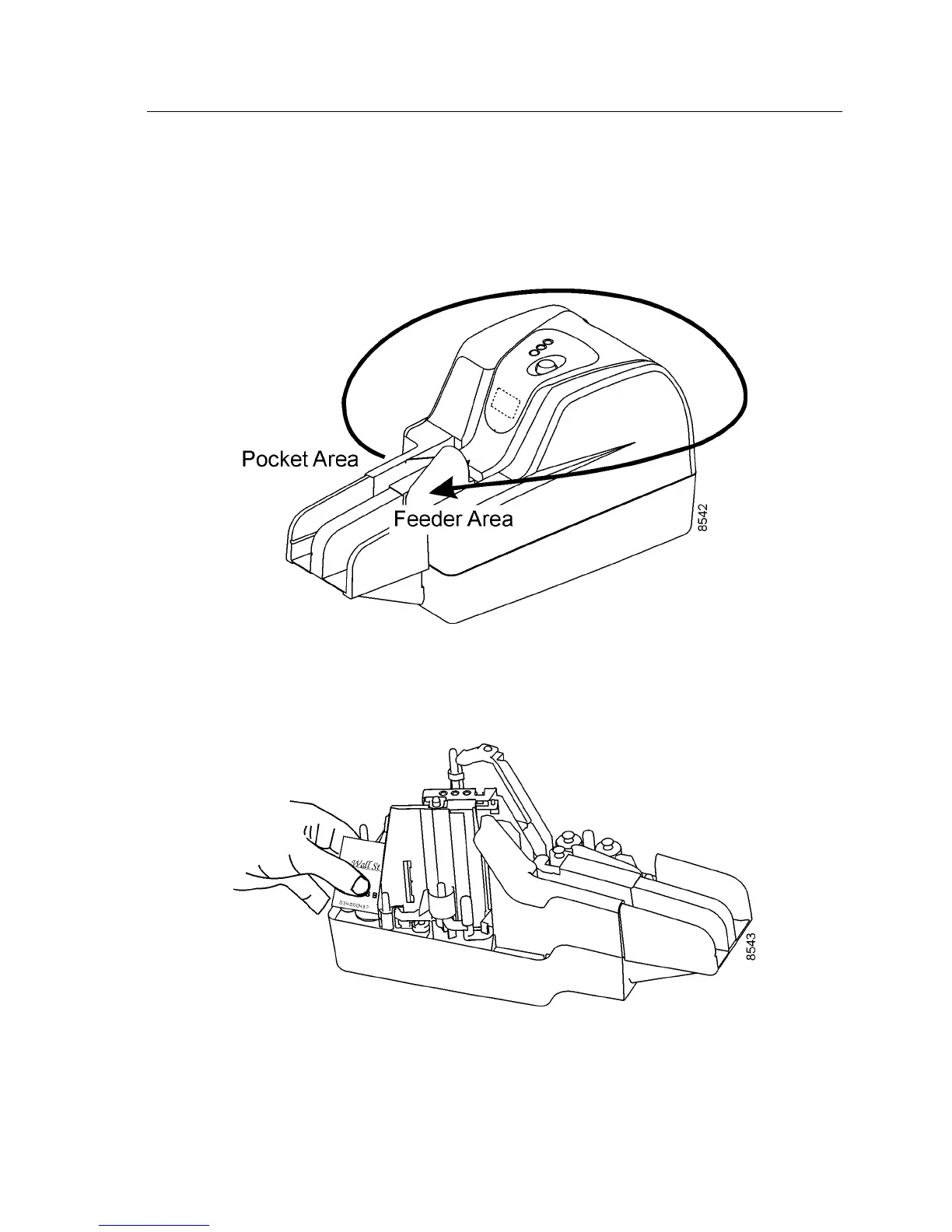
1. Remove items starting at the pocket area first, and work back to the feeder area.
2. To remove items from inside the unit, remove covers if necessary and check the
location of the stopped item in the track.
a. For items that are stopped on the track on the pocket side, pull the item out
toward the back or front of the unit.
b. If an item has stopped in the track at the back of the unit, pull it out of the unit.


 To Next Page