4326 9562-007 5-1
Section 5
Solving Problems
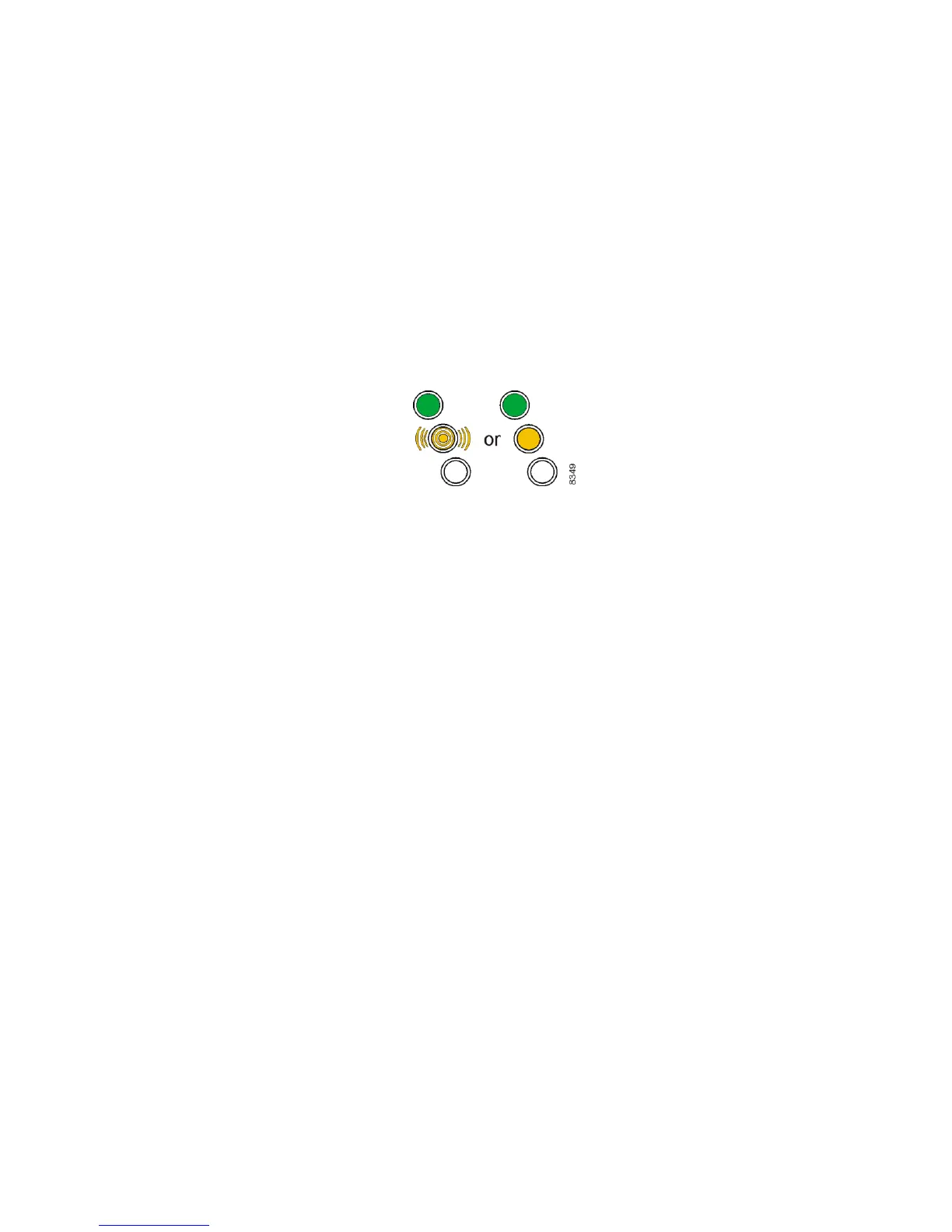
Although infrequent, problems that occur are often due to these conditions in the unit: paper jams or
stops, multiple document feeding, and debris. When such a problem occurs, the light pattern on top
of the unit is as shown here:
Note: You should consult your application documentation for information on the meaning of the
bottom light, the application status light. When lit, this light is always yellow (solid or blinking).
It is important to properly prepare documents for processing (as described in Section 2) to reduce or
eliminate exception conditions that may result in decreased unit performance. Check that
documents are of acceptable size and condition, and ensure that the following common document
defects have been corrected prior to processing:
Creases, folds, curls, and dog-ear corners
Rubber bands, paper clips, staples, or foreign objects
Check stubs and adding machine tapes
Torn, damaged paper, or a damaged item that has not been placed in a carrier envelope
It is recommended that documents be correctly aligned before being inserted into the unit. See
Section 2 for details regarding proper document preparation and loading procedures.
The unit must be maintained as shown in Section 3 to ensure optimum paper handling and
operation.


 To Next Page