Operating the Unit
2-18 4326 9562-007
Using the Start/Stop Button to Move Stopped Items to a
Pocket (Professional and Expert Units)
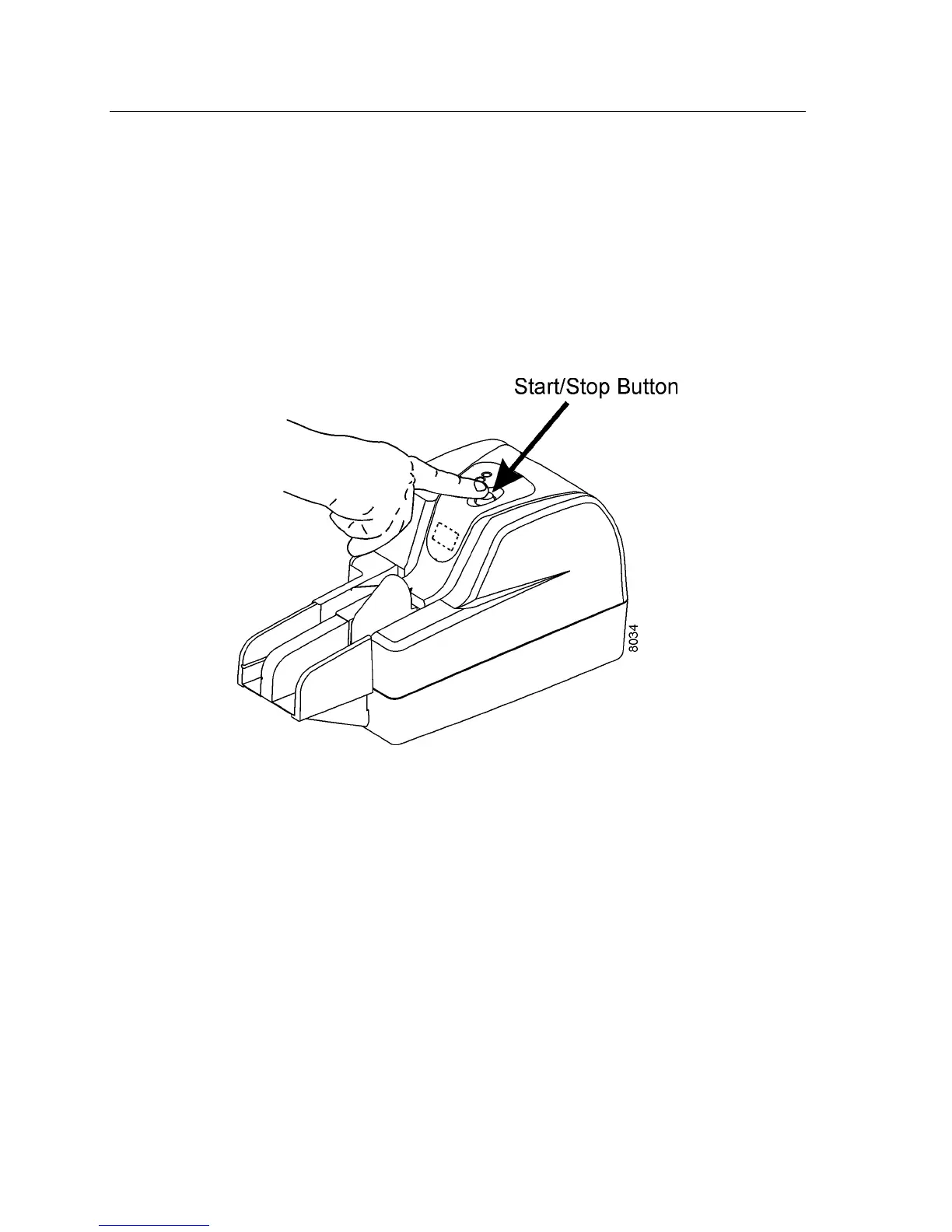
You should first try to flush the stopped item from the track using the Start/Stop button.
1. Press and hold down the Start/Stop button for three (3) seconds to move the
item through the track to the pocket(s). Leave the items in the pocket(s) once the
track is cleared.
Note: Start/Stop Button functions are dependent on your application. Refer to your application
instructions.
2. If an item remains in the track after holding down the Start/Stop button for
three seconds, you must manually remove the item from the track. You should
be able to remove the stopped items without removing the covers.
Whether you remove covers or not, keep items in the same order in which they were
inserted for processing.


 To Next Page