Operating the Unit
4326 9562-007 2-15
Inserting Documents (Value Units)
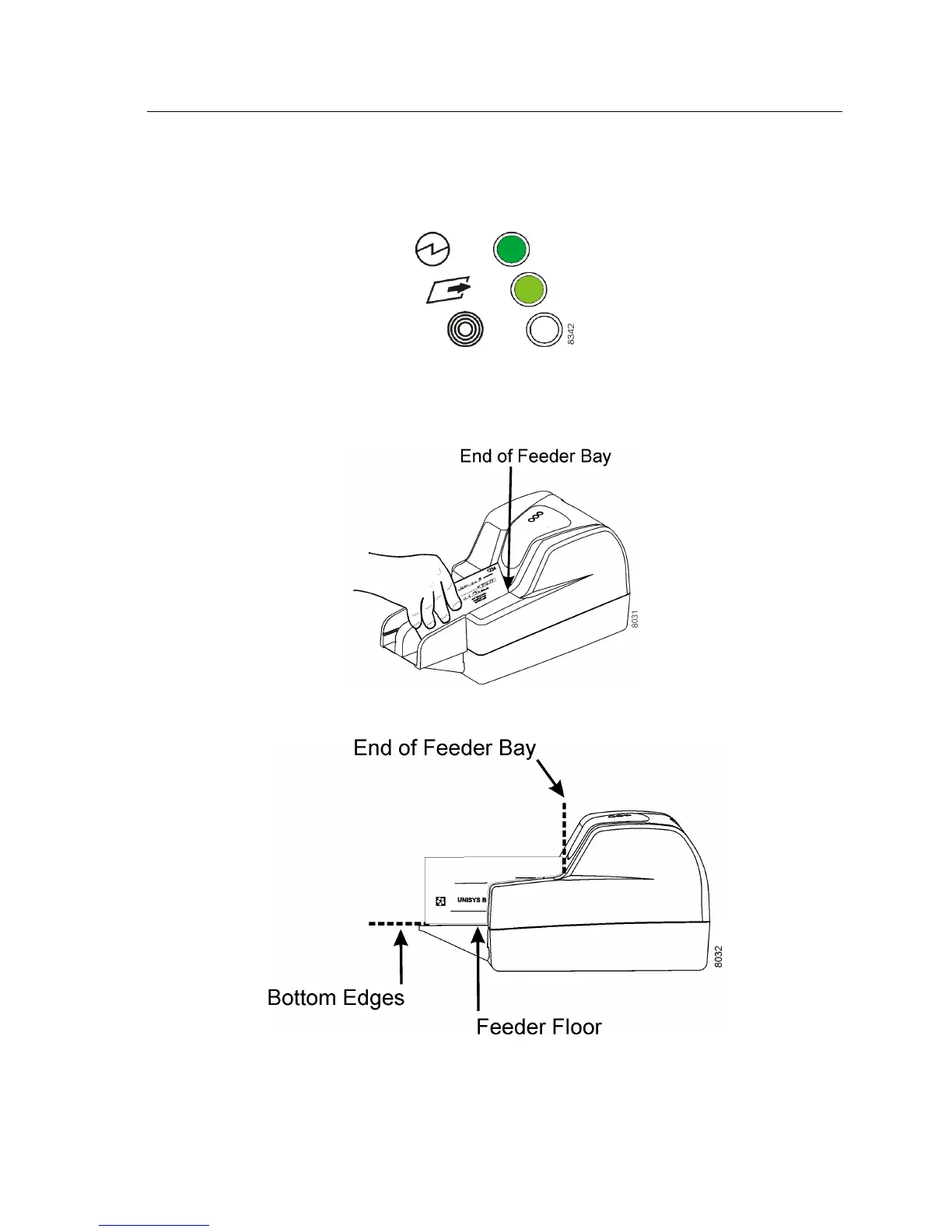
Wait for two green status lights.
Insert documents into the feeder bay, one item at a time. Printed sides face the side
of the unit, not the feeder flag.
Slide each document forward into the feeder bay.
The document bottom edge should touch and be aligned with the feeder floor.
To run another item, insert another document into the feeder bay as before.


 To Next Page