Need help?
Do you have a question about the Busch-Jaeger 1098 U-101 and is the answer not in the manual?
Explains hazard symbols (Danger, Warning, Caution, Attention, NOTE) used for clear communication of risks.
Defines the proper applications and environments for the device, including specific installation requirements.
Lists activities considered improper use, warning of potential personal injury and property damage.
Specifies the intended audience and required qualifications for operating and installing the device.
Details critical safety instructions, including warnings about electric voltage and external factors causing damage.
Advises on environmentally conscious disposal of used devices and packaging materials.
Describes the device's modules and how the cover plate interfaces with the control element.
Details the essential knowledge, experience, and safety rules required for electrical installers.
Explains the steps for safely mounting and dismantling the device, with warnings about handling plastic parts.
Provides circuit diagrams and terminal assignments for connecting the device to the power supply and sensors.
Provides important operational notes, such as power reserve duration and operating element removability.
Explains the different operating modes (AUTO, COMFORT, STANDBY, NIGHT, OFF) and their display icons.
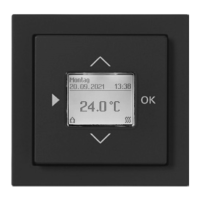
Describes the normal display elements and icons used during everyday operation.
Details the function of each button on the cover plate for navigation and setting adjustments.
Guides through device settings, including language, time, and date configuration, and button lock.
Presents a visual overview of the device's menu structure for navigating settings and functions.
Explains how to select the device language, typically linked to country selection.
Describes the procedure for resetting the device to its default operational state.
Details the process for restoring the device to its original factory default settings.
Explains how to program the device's daily switching times for different modes.
Describes how to efficiently set identical switching times for multiple days (Mon-Fri, Sat-Sun).
Introduces the section detailing advanced or special functions available on the device.
Explains how to set maximum and minimum temperature limits to customize the device's operating range.
Describes the function that automatically opens valves to prevent blockage, ensuring smooth operation.
Details how to activate and adjust standby mode, typically for temperature reduction during absence.
Explains how to adjust the temperature reading by a small offset value to correct for sensor inaccuracies.
Describes how to activate and deactivate the button lock to prevent accidental setting changes.
Guides the user through setting the current date and time for accurate operation and scheduling.
Details how to manually change the preset temperature values for different operating modes.
Explains how the device display behaves and retains information during power interruptions.
Offers guidance on cleaning the device safely, recommending specific methods and materials.
 General
| Certification | CE |
|---|---|
| Product color | Metallic |
| Smart thermostat | Yes |
| Units of measurement | °C |
| Temperature setpoint range | 5 - 30 °C |
| International Protection (IP) code | IP20 |
| Sustainability certificates | RoHS |
| Backlight display | No |
| Power source | AC |
| Operating voltage | 230 V |
| Maximum switching current | 10 A |
| Temperature range (T-T) | 0 - 30 °C |
| Quantity | 1 |
 Weight and Dimensions
| Depth | 23 mm |
|---|---|
| Width | 54 mm |


 To Next Page