Product manual 2CKA001473B8291
8.6 Calling up special functions
The settings of the special functions that are available and how the menu items are called up is
described here. A detailed description of the individual functions is contained in the following
sub-sections.
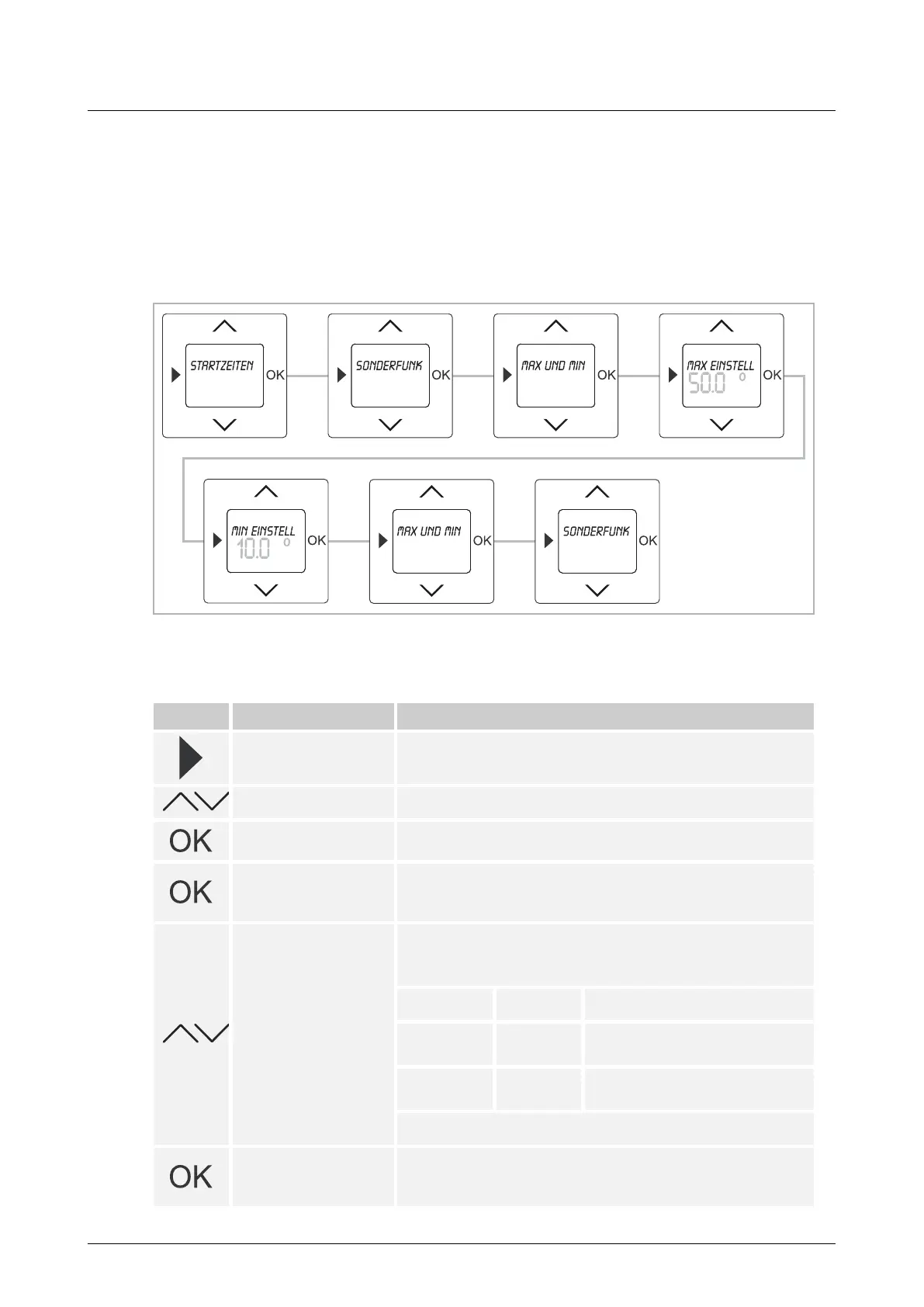
8.6.1 MAX and MIN values
Fig. 12: Menu item – Max and Min values
If required, here the set temperature ranges can be individually limited.
Button Display Entry / Comments
Starting times
– Press the menu button for 2 seconds to switch to the setting
mode.
Special functions – Select menu "Special functions" via the arrow buttons.
Max. and min. values
– Press the OK button to select menu item "Max and Min
values".
Max setting value /
50.0
– Confirm your entry with the "OK" button.
Menu item "Max setting value" is called up. The preset
maximum temperature of 50°C flashes.
45.0°
– Set the desired temperature via the arrow buttons.
The values can be set in steps of 0.5°C.
The adjustment range depends on the type of the device.
Type Value Adjustment range
1098 U-101
MIN
MAX
05.0 – 15.0°C
20.0 – 30.0°C
1098 UF-
101
MIN
MAX
10.0 – 25.0°C
35.0 – 50.0°C
In this example a temperature of 45°C has been set.
Min setting value /
25.0°
– Confirm your entry with the "OK" button.
You simultaneously switch to the next menu item "Min setting
value".



 To Next Page