Product manual 2CKA001473B8291
8.6.7 Adjust temperature
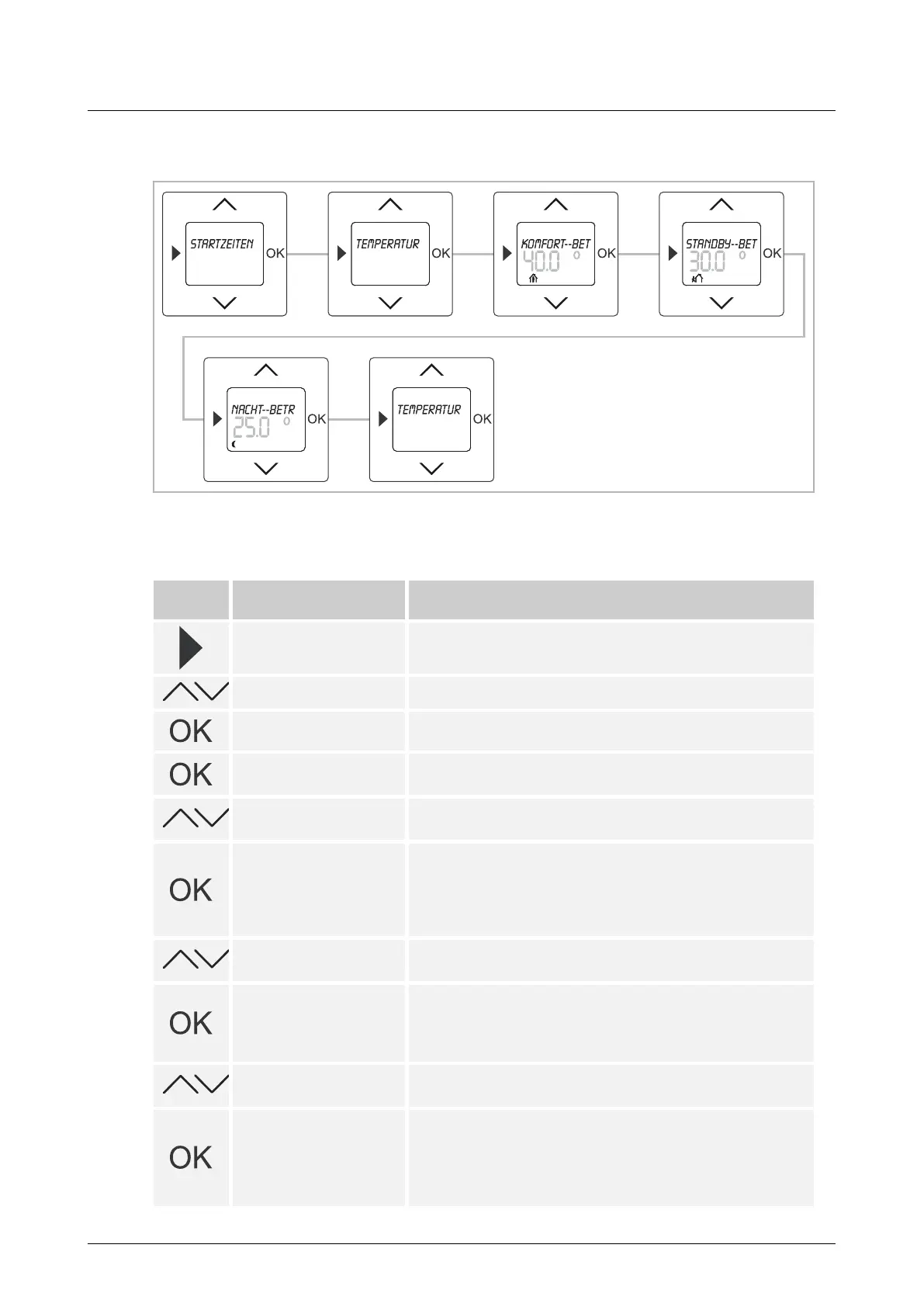
Fig. 18: Menu item – Temperature adjustment
Here, the preset temperature values can be changed manually as required.
Push-
buttons
Display Entry / Comments
Starting times
– Press the menu button for 2 seconds to switch to the
setting mode.
Temperature settings – Select menu "Temperature settings" via the arrow buttons.
Temperature settings
– Press the OK button to select menu item "Temperature
settings".
Comfort mode / 40.0°
– Confirm your entry with the "OK" button.
The preset temperature for "Comfort mode" flashes.
45.0°
– Set the desired temperature via the arrow buttons.
In this example a temperature of 45°C has been set.
Standby mode / 30.0°
Menu item "Standby mode" is displayed only if menu item
"Standby times" has been activated first in menu "Special
functions".
– Confirm your entry with the "OK" button.
The preset temperature for "Standby mode" flashes.
25.0°
– Set the desired temperature via the arrow buttons.
In this example a temperature of 25°C has been set.
Night mode / 25.0°
– Confirm your entry with the "OK" button.
You simultaneously switch to the next menu item "Night
mode".
The preset temperature for "Night mode" flashes.
20.0°
– Set the desired temperature via the arrow buttons.
In this example a temperature of 20°C has been set.
Starting times
– Confirm your entry with the "OK" button.
The temperature values have been set.
Effects in "Auto mode":
The changed temperature values remain valid until the next
programmed time. The AUTO icon flashes.



 To Next Page