Product manual 2CKA001473B8291
8.5.2 Block programming
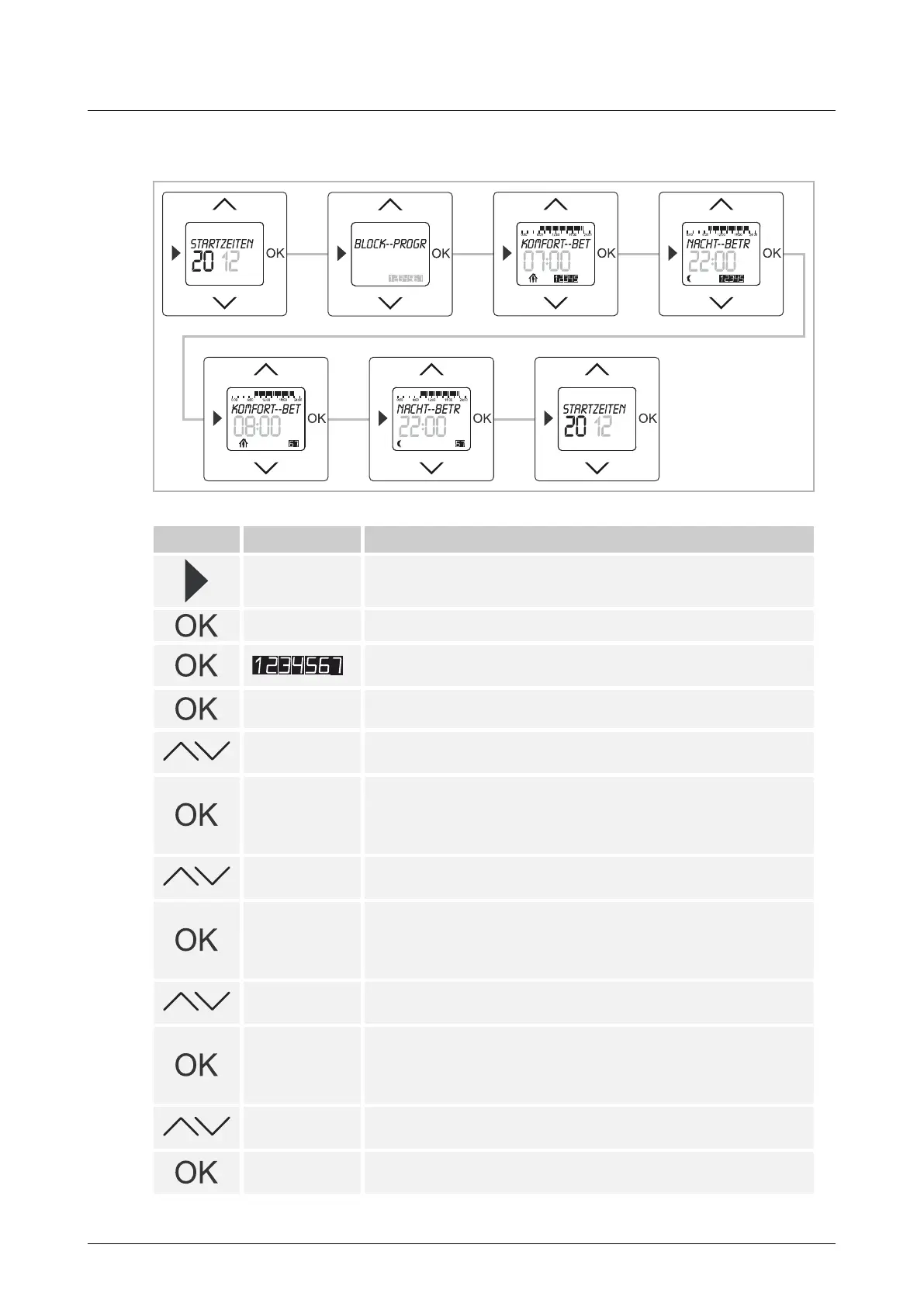
Fig. 11: Menu item – Block
Button Display Entry / Comments
Starting times
– Press the menu button for 2 seconds to switch to the setting
mode.
BLOCK – Press the OK button to select menu item "Block programming".
The weekdays flash.
– Press the OK button again.
Comfort mode /
07:00
The preset starting time for "Comfort mode" flashes (Mon - Fri).
7:30
– Set the desired starting time via the arrow buttons.
In this example the starting time has been set at 7:30.
Night mode /
22:00
– Confirm your entry with the "OK" button.
You simultaneously switch to the next menu item "Night mode" (Mon -
Fri).
The preset starting time flashes.
22:30
– Set the desired starting time via the arrow buttons.
In this example the starting time has been set at 22:30.
Comfort mode /
08:00
– Press the OK button again.
You simultaneously switch to the next menu item "Comfort mode"
(Sat - Sun).
The preset starting time flashes.
8:30
– Set the desired switch-on time via the arrow buttons.
In this example the switch-on time has been set at 8:30.
Night mode /
22:00
– Confirm your entry with the "OK" button.
You simultaneously switch to the next menu item "Night mode" (Sat -
Sun).
The preset starting time flashes.
22:30
– Set the desired switch-off time via the arrow buttons.
In this example the starting time has been set at 22:30.
Starting times
– Confirm your entry with the "OK" button.
The starting times are now set.



 To Next Page