Product manual 2CKA001473B8291
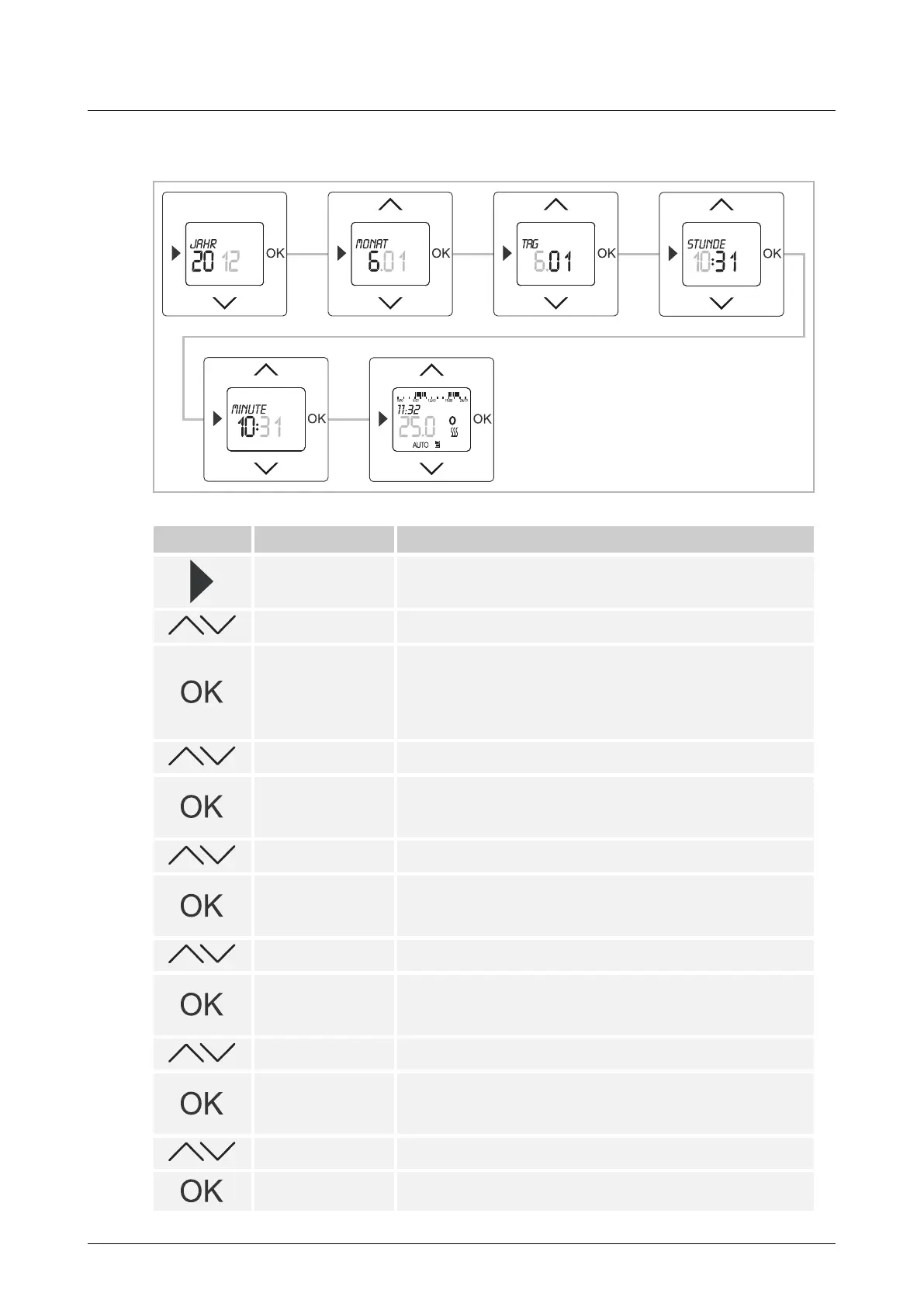
8.6.6 Date / Time
Fig. 17: Date
Button Display Entry / Comments
Starting times
– Press the menu button for 2 seconds to switch to the setting
mode.
Date--Time – Select menu "Date - Time" via the arrow buttons.
Year / --:--
– Confirm your entry with the "OK" button.
During initial commissioning or after a reset to factory settings,
and after the selection of the language, menu item "Year" is
automatically displayed.
The preset year flashes.
2011 – Set the year via the arrow buttons.
Month / --:--
– Confirm your entry with the "OK" button.
You simultaneously switch to the next menu item "Month".
The preset month flashes.
6.01 – Set the month via the arrow buttons.
Day / --:--
– Confirm your entry with the "OK" button.
You simultaneously switch to the next menu item "Day".
The preset day flashes.
6.01 – Set the day via the arrow buttons.
Hour / --:--
– Confirm your entry with the "OK" button.
You simultaneously switch to the next menu item "Hour".
The preset hour flashes.
10:31 – Set the hour via the arrow buttons.
Minute /--:--
– Confirm your entry with the "OK" button.
You simultaneously switch to the next menu item "Minute".
The preset minute flashes.
10:31 – Set the minutes via the arrow keys.
– Confirm your entry with the "OK" button.
The temperature controller changes into operating mode



 To Next Page