Product manual 2CKA001473B8291
8.2 Operating modes
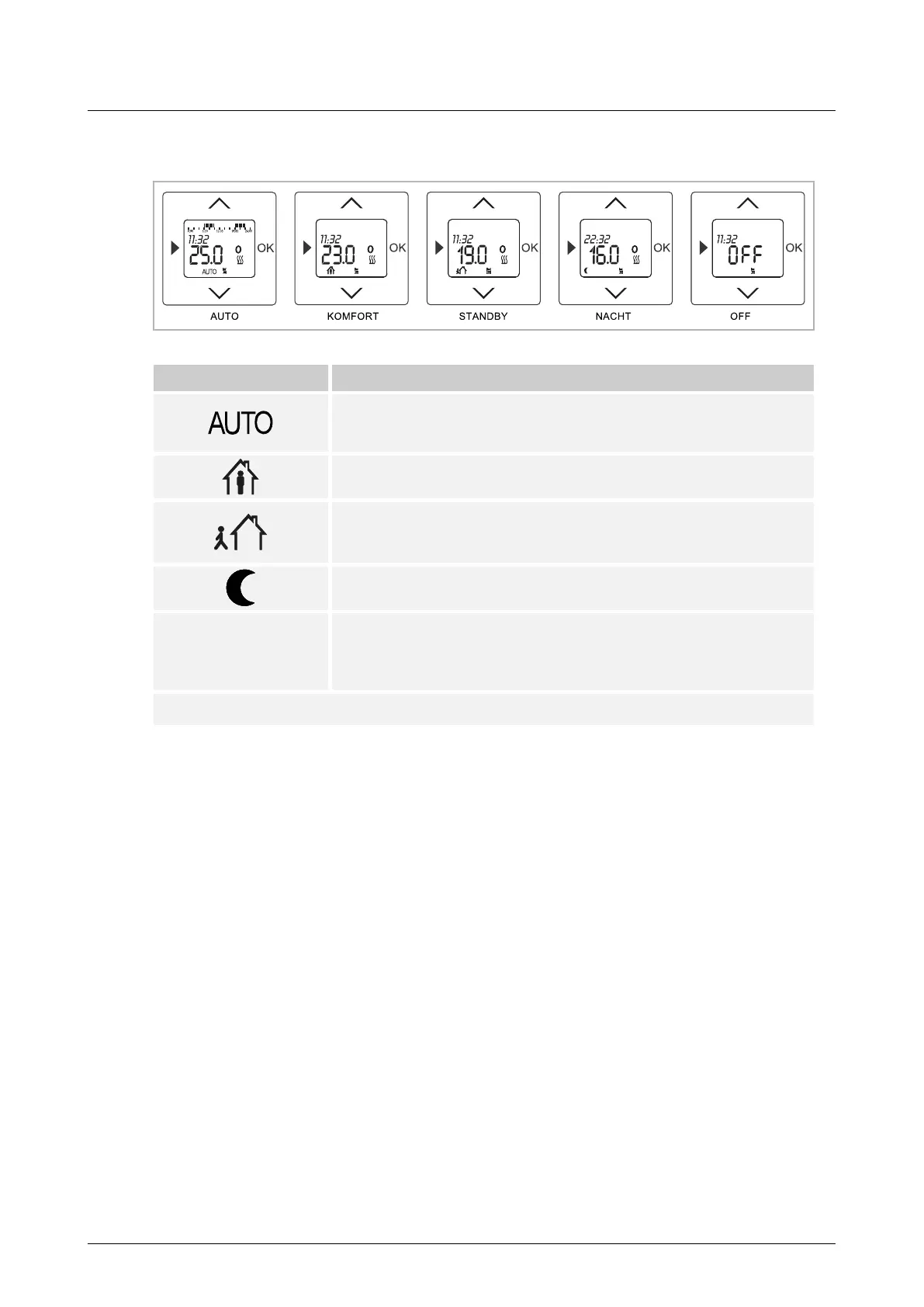
Fig. 5: Display views of operating modes
Icon Operating mode
AUTO
At the programmed times, the system is brought to the programmed set
values for comfort, stand-by, and night mode. *
COMFORT MODE
Temperature when somebody is present. *
STANDBY MODE
Temperature when nobody is present
This function is not automatically activated at the factory. *
NIGHT MODE
Temperature during the night. *
OFF
The control system is switched off.
No temperature value is displayed. The display appears when OFF is
activated. Manual temperature changes are not possible.
* The temperature can be changed manually at all times.
■
Press the OK button for 2 seconds to change the operating mode.
■
All of the temperature values that are displayed are set values.
■
Active programs can be recognised by a flashing dot in the temperature display.



 To Next Page