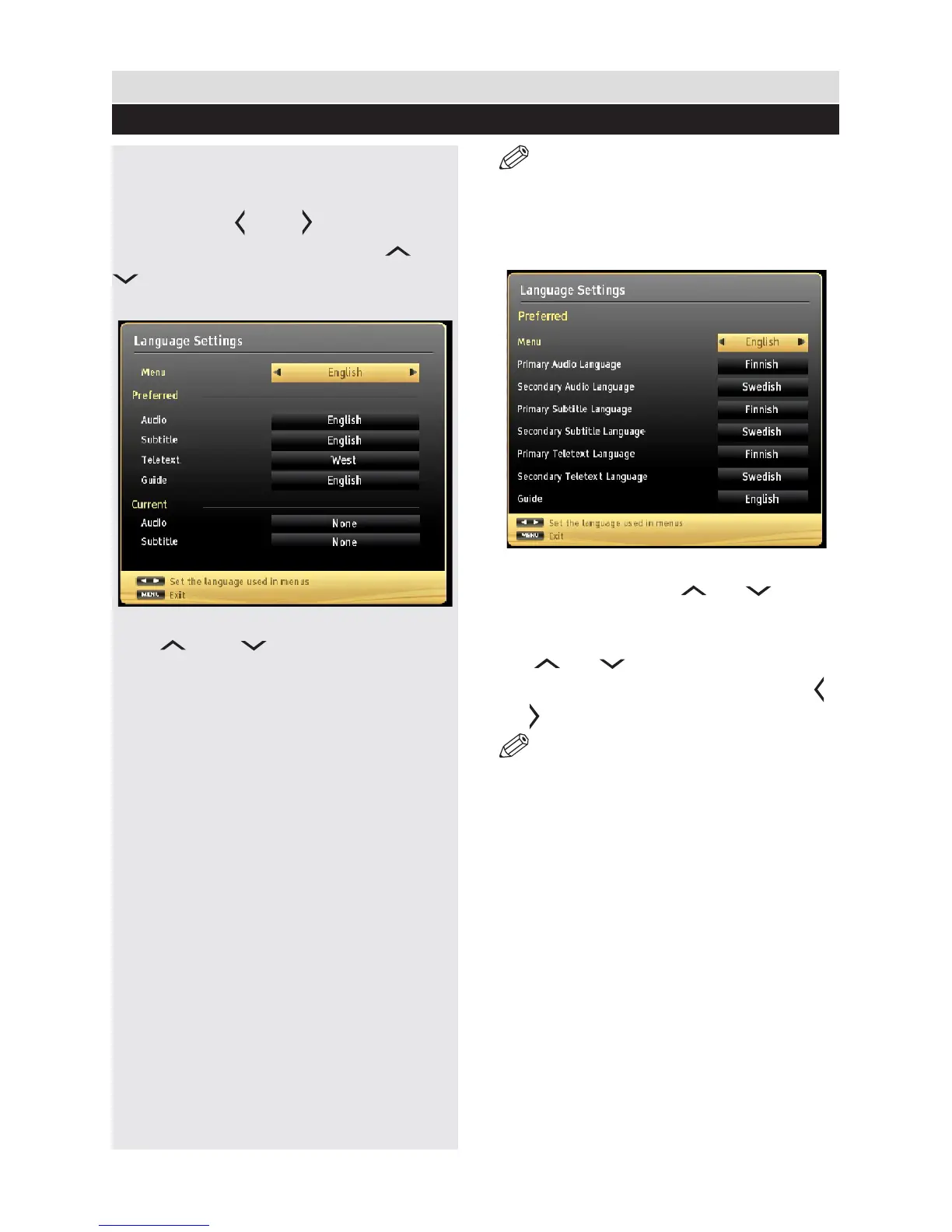
You can operate the TV’s language settings
using this menu.
Press “MENU” button and select the Settings
icon by using “ ” or “ ” button. Press OK
button to view Settings menu. Use “ ” or “
” button to highlight Language and press
OK to continue:
Use “ ” or “ ” button to set an item.
Settings are stored automatically.
Menu: displays the system language.
Preferred
These settings will be used if available. Otherwise
the current settings will be used.
Audio: Sets the preferred audio language.
Subtitle: Sets the subtitle language. Selected
language will be seen in subtitles.
Teletext: Sets teletext language.
Guide: Sets the preferred Guide language.
Current (*)
(*) These settings can be changed if only the
broadcaster supports. Otherwise, settings will
not be available to be changed.
Audio: Changes the audio language for the
current channel.
Subtitle: Sets the subtitle language for the
current channel.
NOTE: If the Country option is set to
Denmark, Sweden, Norway or Finland, the
Language Settings menu will function as
described below:
Language Settings
In the conguration menu, highlight the Language
Settings item by pressing “ ” or “ ” buttons.
Press OK and Language Settings submenu will
be displayed on the screen:
Use “ ” or “ ” buttons to highlight the menu
item that will be adjusted and then press “ ”
or “ ” button to set.
NOTE:
System Language determines the on-screen
menu language.
Audio Language is used for selecting the
soundtrack of a channels.
Primary settings are the first priority when
multiple choices are available on a broadcast.
Secondary settings are the alternatives when
the rst options are not available.
General TV Operation
Language Settings
33



 To Next Page