39 2021/07 - Version: C -
4. Installing the Inéo PVC
duckboarding
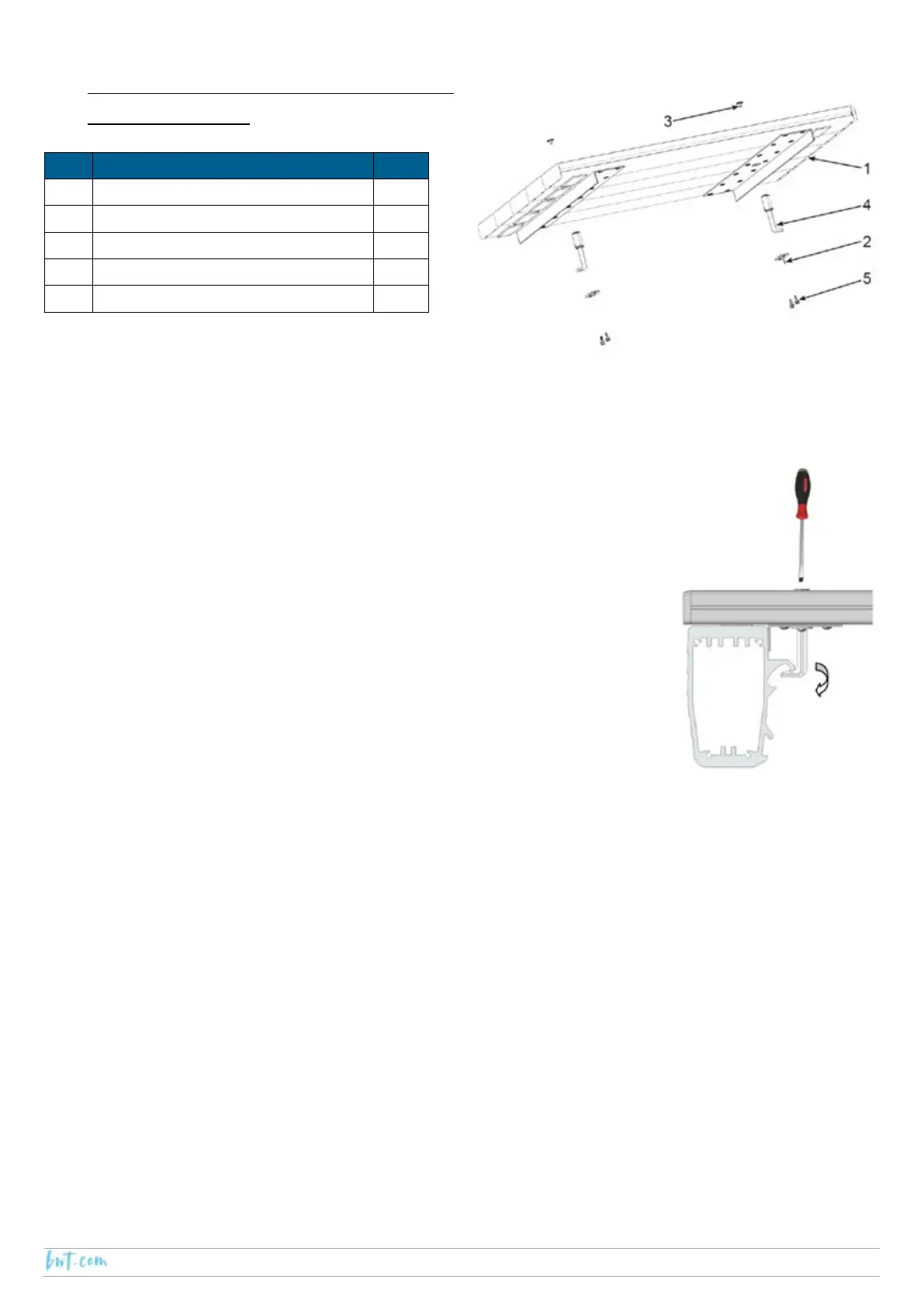
Insert a locking bolt (4) into each hole in the Inéo duckboarding.
Fix the locking bolt in position by attaching the fastener (2) in position using 2 self-
tapping screws (5).
Position the locking bolts towards the centre of the duckboarding.
Position the duckboarding on the beams.
Using a flat head screw driver, rotate the locking bolt at the beam.
Check the good condition of the duckboarding.
Clip the caps (3) onto the locking bolts.
Ref Description Qty
1 Inéo PVC duckboarding 1
2 Locking bolt fastener 2
3 Locking bolt cap 2
4 Duckboarding locking bolt 2
5 Self tapping screw 4.2 x 13 A4 SS 4



 To Next Page