100 4-1 Charging/Discharging Instructions
If an AC charging pile equipped with a charging plug is used to charge
the vehicle, this step can be omitted.
■ Close the A/C charging port plug cap and charging port cap (with reference
to AC charging with household portable equipment).
■ Sort and properly place the charging equipment.
If the AC charging pile/box is used for charging, place the charging
plug in the designated position of the charging pile/box.
If the 7-pin to 7-pin equipment is used for charging, sort and place it
properly.
DC charging with charging pile
1. Description of equipment
■ The DC charger in public places can be used to charge the vehicle.
Generally, the chargers are installed at designated charging stations.
■ Specifications of equipment: Please refer to relevant description of the
charger.
■ Charging time: Please see the charging time prompt displayed on the
combination instrument.
2. Guidance on charging operation
DC charging can be performed by connecting the vehicle to a DC charging pile
through the charging plug of the DC charger.
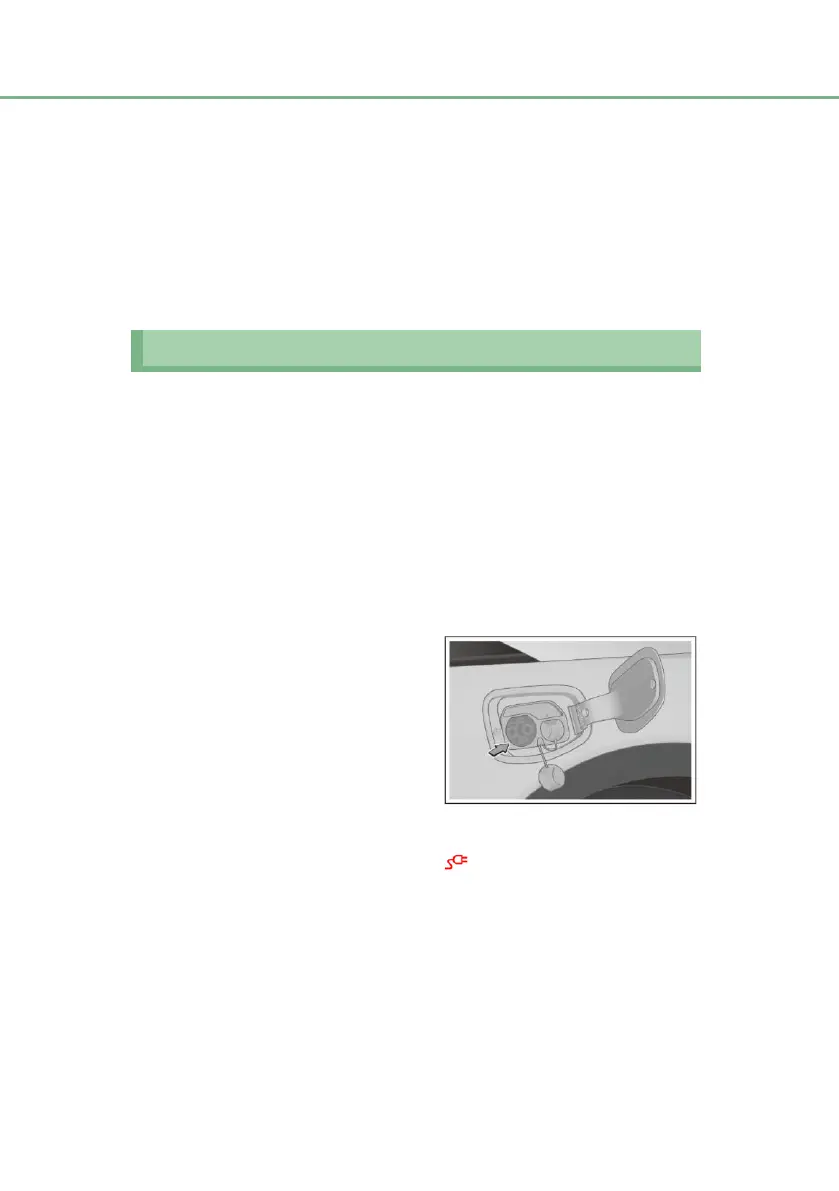
■ Unlock the charging port cap,
open the charging port cap and
charging port plug cap.
■ Connecting vehicle charging port:
Connect the charging plug
of the
charger to the
charging
port of the vehicle
and lock it securely.
■ Follow the steps of charging equipment instructions to start charging.
■ The charging plug connected indicator on the combination instrument will
illuminate.
■ In the charging process, relevant charging parameters and charging
animation will be displayed on the combination instrument.
3. Guidance on stopping charging
■ End charging:
The charger will automatically end charging if the charger is set to end
charging in advance or charging is completed.
■ Disconnect the charging port connection:


 To Next Page