iNetVu™ Service Manual Page 21 of 109
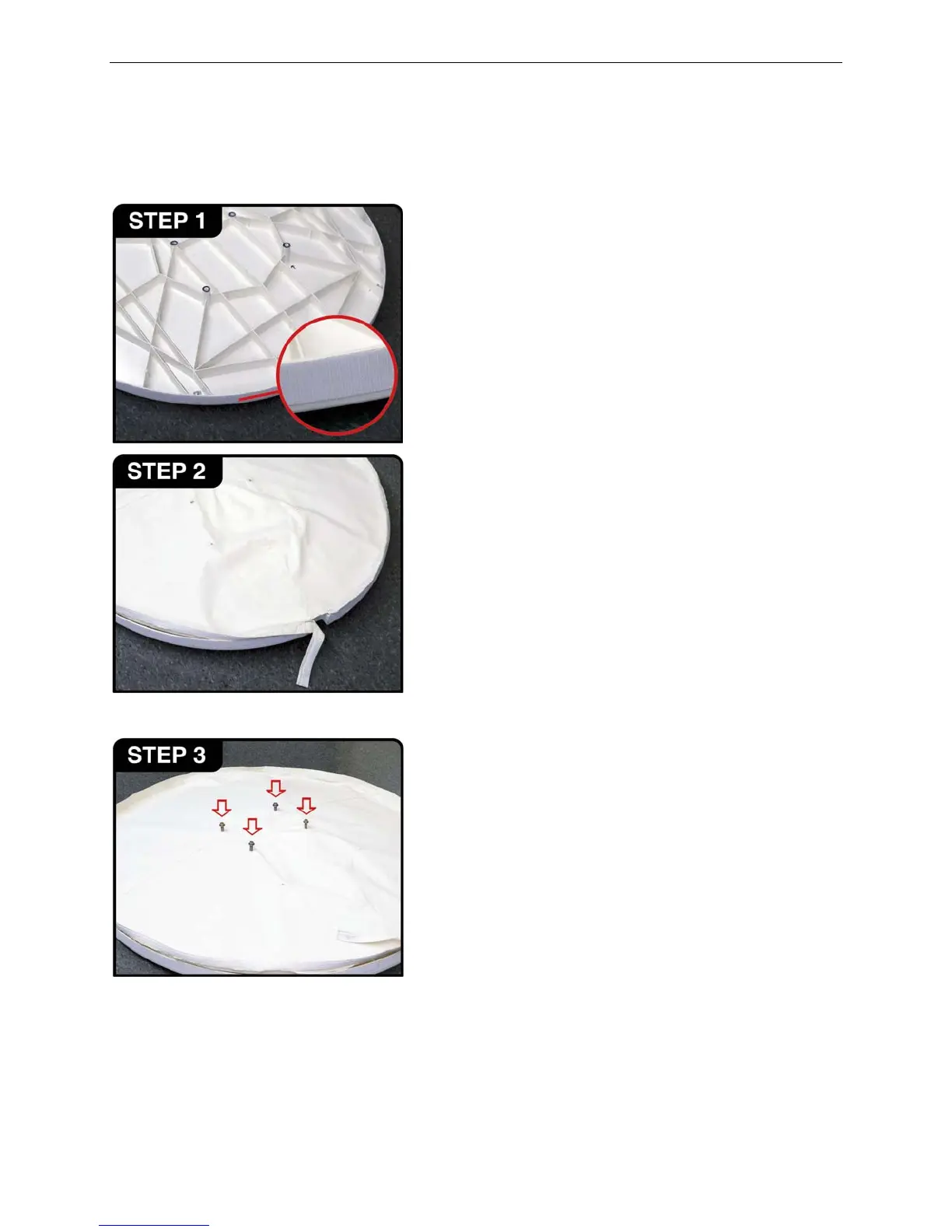
2.2.8.1. Installation Rear Antenna Cover:
Place the reflector face down.
[ New Installation: Clean the reflector’s surface thoroughly with a grease
cutting cleaner and allow to dry. Using the supplied 1.5” hook Velcro, peel off
the back strip ½ meter at a time, and align flush with the backside edge of
the reflector. Once fully placed, apply pressure on the surface to ensure full
adhesive contact. Allow 24 hrs for full cure. ]
Position the reflector cover over unit, aligning the strap and opening with the
notch at the base of the reflector.
[ Previously Installed: Through the openings in the cover, insert four (4)
bolts into mounting threads and tighten a few threads. ]
[ New Installation: Proceed to Step 4 ]



 To Next Page