iNetVu™ Service Manual Page 45 of 109
il
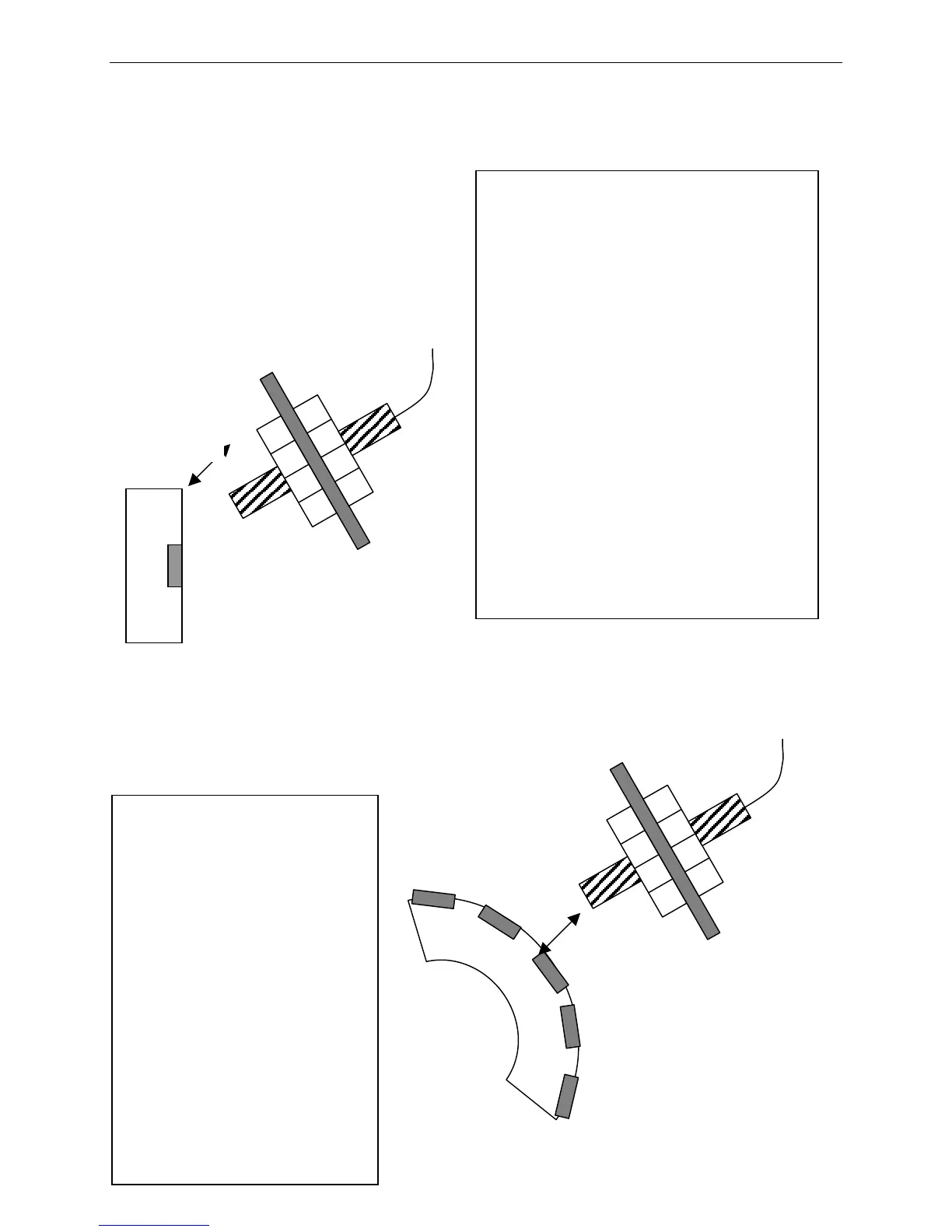
Elevation UP Limit Switch
As the Antenna is raised, the
Elevation UP Limit Switch rotates
around the center axis.
When it reaches the Magnet Bracket
nd detects the Magnetic Field, the
switch will open/close and will
rigger an Elevation UP Limit Error
in IMS indicating that the
Elevation UP Limit has been
reached.
Typically, the Elevation UP Limit
should be set above the following:
o 65 (740/950 Mobile Platforms)
o 75 (1200 Mobile Platforms)
Elevation Stow Limit Switch
s the Antenna is being stowed, the
levation STOW Limit Switch rotates
around the center axis.
When it reaches the Magnet Bracket
nd detects the Magnetic Field, the
switch will open/close and will
rigger the Elevation STOW Limit in
IMS indicating that the Elevation
Stow Limit has been reached, and
that the Mobile Platform is now in
he Stowed Position
Elevation Down Limit Switch
As the Antenna is
lowered, the Elevation
DOWN Limit Switch
rotates around the
center axis.
When it reaches the
Magnet Bracket and
detects the Magnetic
Field, the switch will
open/close and will
trigger the Elevation DN
Limit in IMS indicating
that the Elevation DN
Limit has been reached.
While the Elevation DN
Limit Indicator is ON,
the user will not be
able to move the Antenna
left or right. This is
used to protect the user
from causing damage to
his/her vehicle as well
as the Mobile Platform.
3mm to 5mm
mm to 5mm



 To Next Page