10 10
3 Ofine Menu
3.3 Service Key
A service key is required for accessing special service functions not accessible to the operator. This key switches the
printer to service mode and enables:
• Access to additional conguration parameters
• Resetting of the service counter
• Resetting of passwords
• Additional information in the status print and in the device list
• Printout of an event list
• Changing of the device name
• Saving and loading of conguration settings
• Access to PIN-protected conguration parameters and functions without entering the PIN
• Access to conguration parameters for optional assemblies, even if they are not currently installed
Attention!
Incorrect settings and data loss via unauthorized access.
Access protection is deactivated when the service key is inserted. Operation of the printer by unauthorized
persons can lead to incorrect settings and data loss in this case.
Provide the service key to authorized persons only.
Remove service key after service work and store it in a secure location.
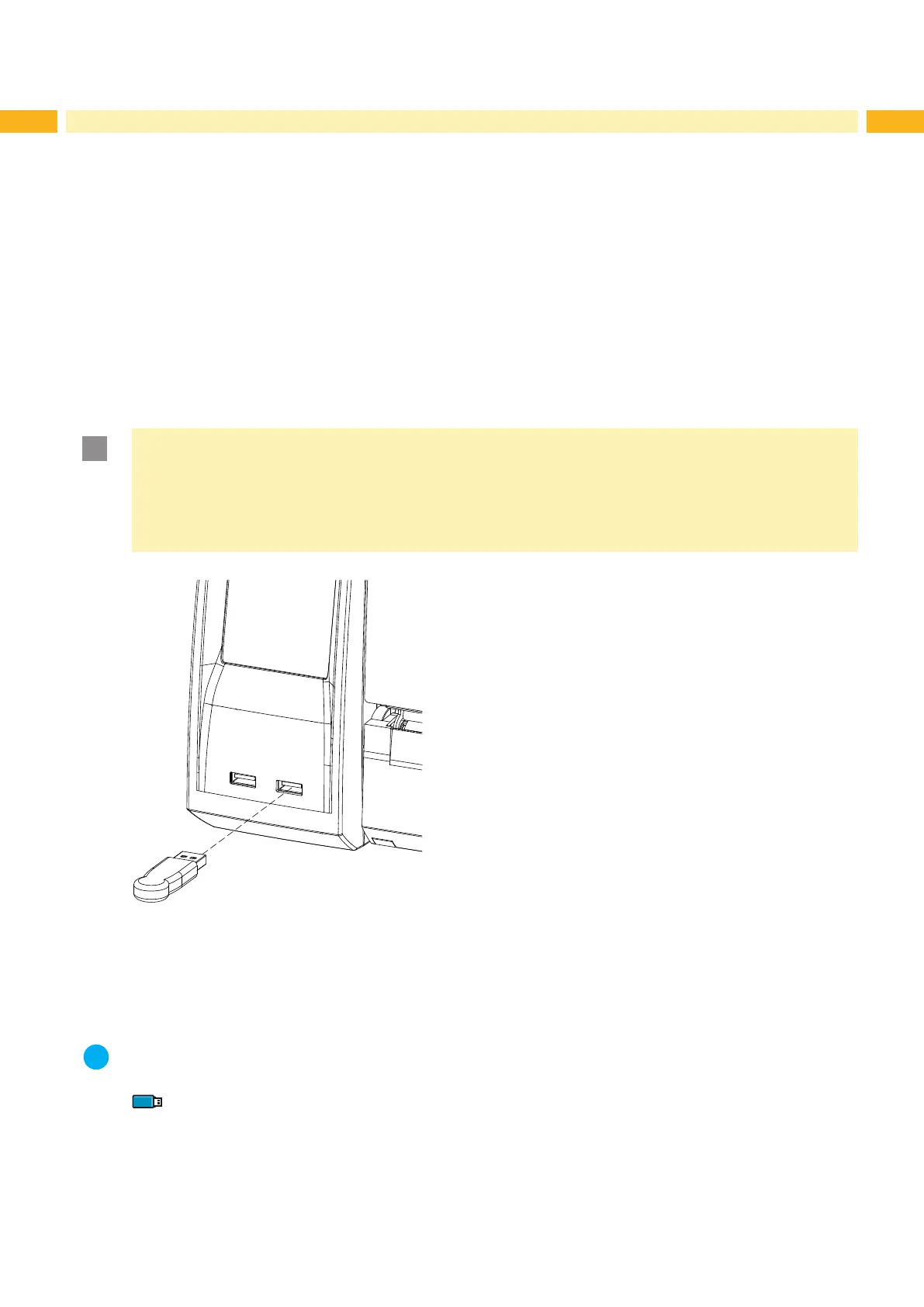
Fig. 4 Inserting the service key
Insert service key into a USB master interface of the printer.
The service key also can be inserted while the device is switched on.
Notice!
In this document, parameters and functions which are only accessible when the service key is inserted are
indicated using the following note:
Access only with service key inserted!



 To Next Page