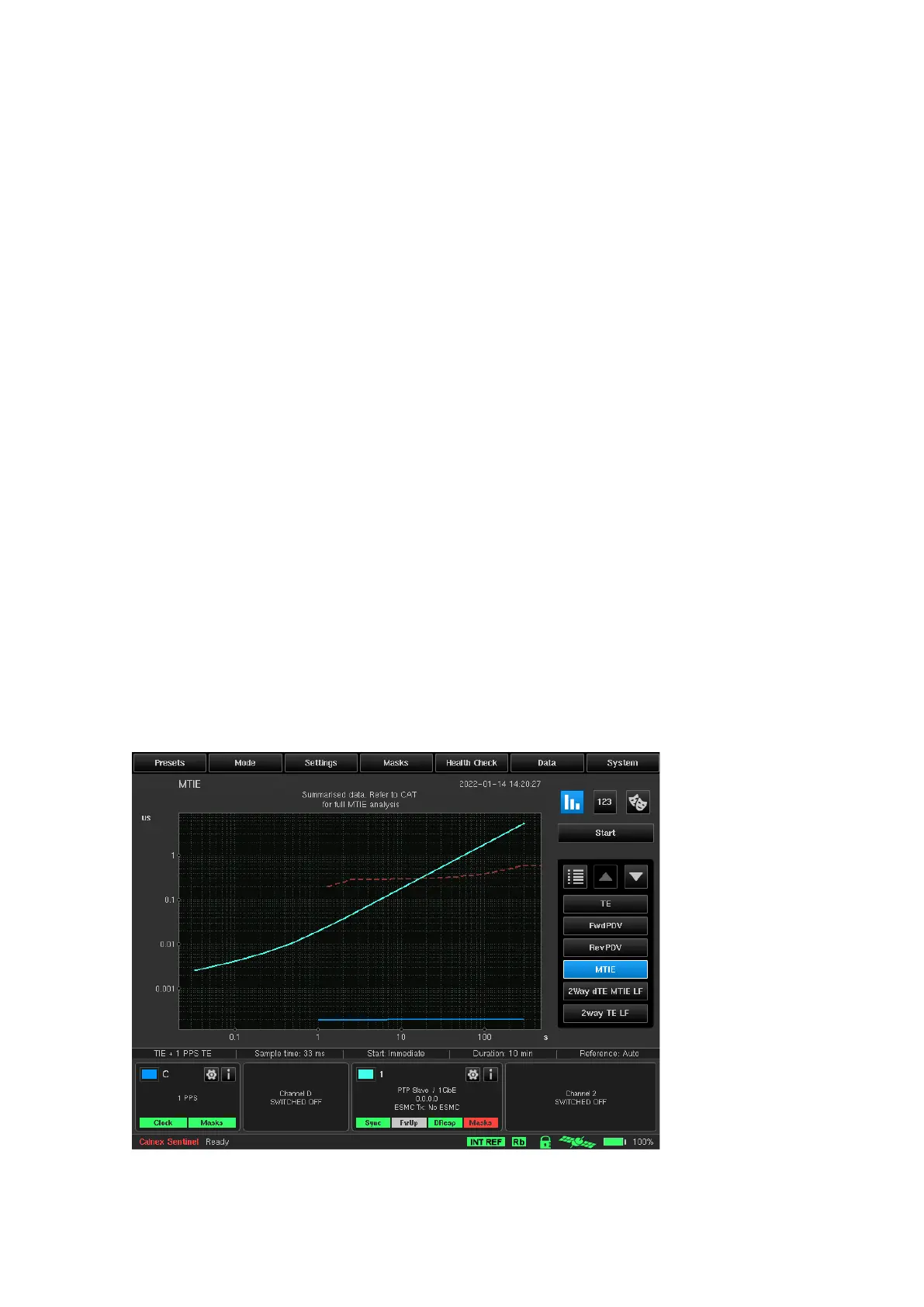
Standard masks are available to be overlaid on the applicable MTIE, TDEV, FPP, MAFE and 2Way TE displays. The
masks are selected in the Settings menu and are displayed by default once selected as described in Masks
section above.
Three special kinds of masks are available – TIE mask, Time Error (TE) mask and FPP mask. It is possible to
setup parameters of these masks and turn them on/off from Settings window. TIE mask marks acceptable range
for TIE values. TE mask marks acceptable range for 2Way TE values. FPP mask marks minimum acceptable floor
packets percentage.
The various measurements made, and the masks applied are clearly identified. A solid line is used to indicate
each of the measurements being made on each graph. Each channel uses a specific colour. The colour used is
the same as that shown in the Channel Widget. A dashed line is used to represent a mask.
This means that the quality of the measured signal can be interpreted immediately. For FPP measurement to be
compliant, its representative curve must be above the mask. For all other measurements to be compliant, the
representative curve must be below the mask.
All active channels are automatically checked versus all relevant active masks in real-time. Mask pass / fail status
is displayed inside each active channel widget, in relation with the selected masks (for MTIE and TDEV metrics).
Detailed information about check results are displayed in the masks table.



 To Next Page