EasyManua.ls Logo

CAME KRONO KR300 - User Manual

CAME KRONO KR300
32 pages
Print Icon
To Next Page IconTo Next Page
Loading...
CAME UNITED KINGDOM LTD
UNIT 3,
ORCHARD PARK INDUSTRIAL ESTATE,
TOWN STREET, SANDIACRE,
NOTTINGHAM NG10 5BP
TEL: 0115 921 0430
FAX: 0115 921 0431
INTERNET - www.cameuk.com
E-MAIL - enquiries@cameuk.com
TECHNICAL
HELPLINE
0115 921 0430
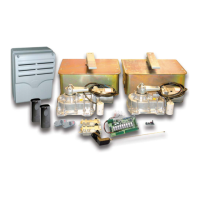
KRONO KIT
Installation Instructions
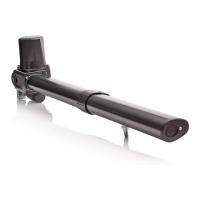
1) Left-hand motor unit
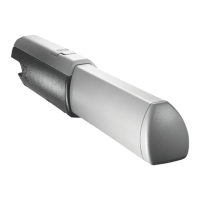
2) Right-hand motor unit
3) Control panel
4) Radio reveicer
5) Safety photocell
6) Key-operated selector switch
7) Flashing light
8) Receiving antenna
9) Photocell column
10) Radio transmitter
UNITED KINGDOM LTD.

Other manuals for CAME KRONO KR300

Questions and Answers

  • Z
    Zachary RodriguezAug 2, 2025
    Why CAME Gate Opener won't respond to remote control?
    • E
      Emily MorganAug 2, 2025
      If your CAME Gate Opener isn't responding to the remote, there are several potential causes: * The AF frequency card may not be fitted to the control panel. * The remote control may not be programmed into the control panel. * The remote control might have the wrong code setting. * 'Operator Present' might not be selected, deactivating radio remote controls (check DIP switch 1). * The wrong frequency card may be fitted for the remote control.
  • V
    victoria65Aug 10, 2025
    How to fix CAME KRONO KR300 that won't respond to a command?
    • M
      Mr. Stephen Riley DVMAug 10, 2025
      If your CAME Gate Opener isn't responding to commands, try these checks: 1. Verify the power supply to the control panel. 2. Inspect the control panel fuses. 3. Check the hard wire link fitted between terminals 1 & 2. 4. Confirm that capacitors are fitted and wired correctly.
  • G
    Gabrielle JohnsonAug 17, 2025
    What to do if CAME KRONO KR300 Gate Opener is open but won't close and the green LED is flashing?
    • S
      sarahmarshallAug 17, 2025
      If your CAME Gate Opener is open but won't close and the green LED is flashing, consider the following: 1. Check that the safety beams are wired correctly. If multiple sets of beams are installed, ensure they are wired in series. 2. Confirm that there is power going to the beams; if not, restore power. 3. If safety beams are not fitted, ensure a hard wire link is fitted between terminals 2 & C1. 4. Remove safety beam wires 2 & C1 from the control panel and check for a normally closed circuit coming from the beams.
  • M
    mezakarenAug 25, 2025
    Why CAME KRONO KR300 automatically opens but does not automatically close when commissioning?
    • N
      Nancy HunterAug 26, 2025
      If your CAME Gate Opener automatically opens but doesn't automatically close during commissioning: 1. Check the motor wires. They might be the wrong way round. Prove motor direction by momentarily pulsing terminals 2 & 3; the gate should open. 2. Turn automatic closing off (DIP switch 2) until motor direction has been proven.

Summary

Stage 1: Civil & Mechanical Section

1.4 - Attaching the Rear Bracket

Provides instructions and diagrams for securely attaching the rear bracket to gate posts.

1.5 - Attaching the Brackets

Explains how to install the front bracket and the required distance between brackets.

Stage 2: Wiring and Electrical

2.9 - Coding the Remote Controls

Step-by-step guide for programming remote controls to the gate system.

Stage 3: Commissioning the Control Panel

3.5 - Programming the Remote Controls to the Control Panel

Procedure for storing remote control codes on the control board.

4. Troubleshooting Guide

Problem: GATE WILL NOT RESPOND WHEN GIVEN A COMMAND

Solutions for when the gate system fails to react to commands.

Problem: GATES ARE OPEN BUT WILL NOT CLOSE AND GREEN LED IS FLASHING

Troubleshooting steps for gates not closing with a flashing green LED.

Problem: WHEN COMMISSIONING GATE AUTOMATICALLY OPENS BUT DOES NOT AUTOMATICALLY CLOSE

Addresses issues with automatic opening but not closing during commissioning.

Problem: GATES WILL NOT RESPOND TO REMOTE CONTROL COMMAND

Solutions for remote control command failures.

5. Technical Information

CAME KRONO KR300 Specifications

General IconGeneral
Power Supply230 V AC
Motor Power150 W
Max Gate Weight800 kg
Operating Temperature-20°C to +55°C
Motor Voltage230 V AC
Power300 W
Thrust3000 N
Protection LevelIP54
Maximum Leaf Width3 m
Protection RatingIP54
Max Gate Length3 m
Maximum Leaf Weight400 kg
Safety FeaturesObstacle detection

Related product manuals