Finisher-AE1/Saddle Finisher-AE2/Puncher Unit-M1 (Optional)
2-40
2
Routine Maintenance
3
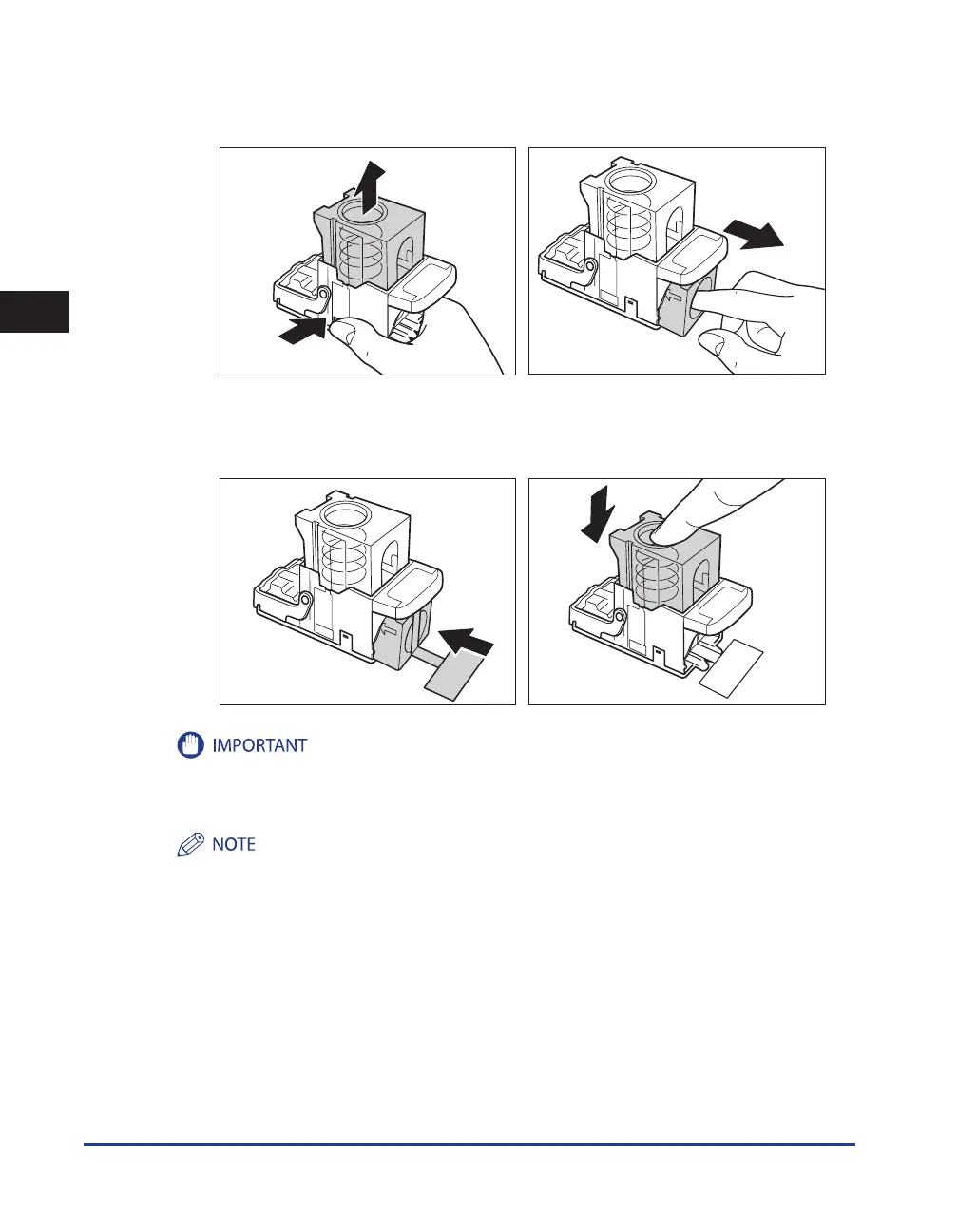
Place the staple case, as shown below, press the area indicated by PUSH,
and then pull out the staple cartridge.
053(
053(
4
Insert the new staple cartridge.
Press the spring-loaded case down until it clicks into place.
053(
053(
Use only staple cartridges intended for use with this machine.
Do not remove the seal that holds the staples together before you place the staple cartridge into the staple
case.
Only one staple cartridge can be inserted at a time.
•
•










 To Next Page