Clearing Paper Jams
3-64
3
Troubleshooting
2
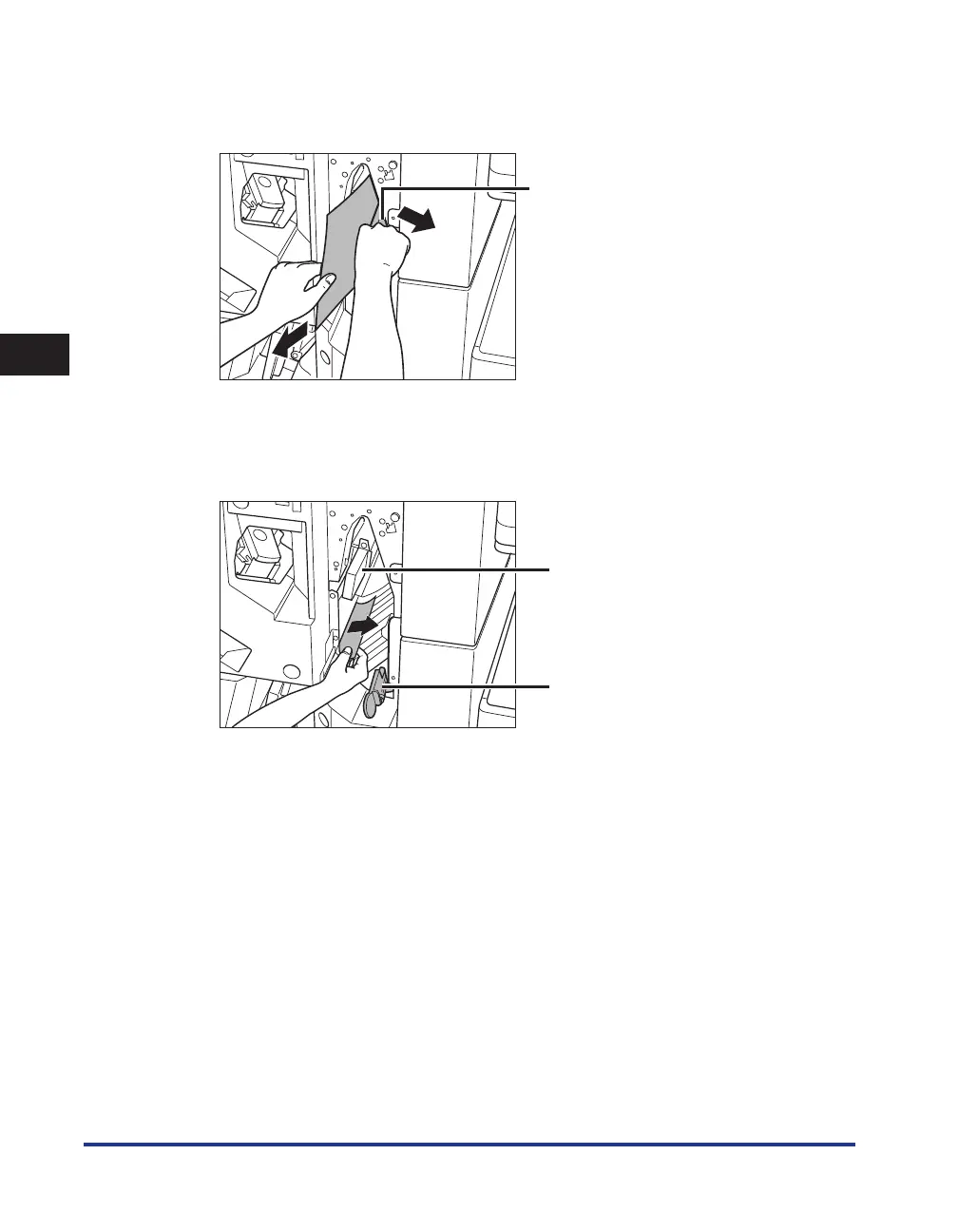
Tilt the upper delivery guide to the right, and remove any jammed paper.
Springs are attached to the upper delivery guide, so it returns to its original position when released.
Upper Delivery Guide
3
Tilt the lower delivery guide to the right, and remove any jammed paper.
Turn the lever on the lower delivery guide to the right until it stops, and then tilt the lower delivery guide
to the right.
Upper Delivery Guide
Lower Delivery Guide



 To Next Page