118
For EOS-1V HS Users
1
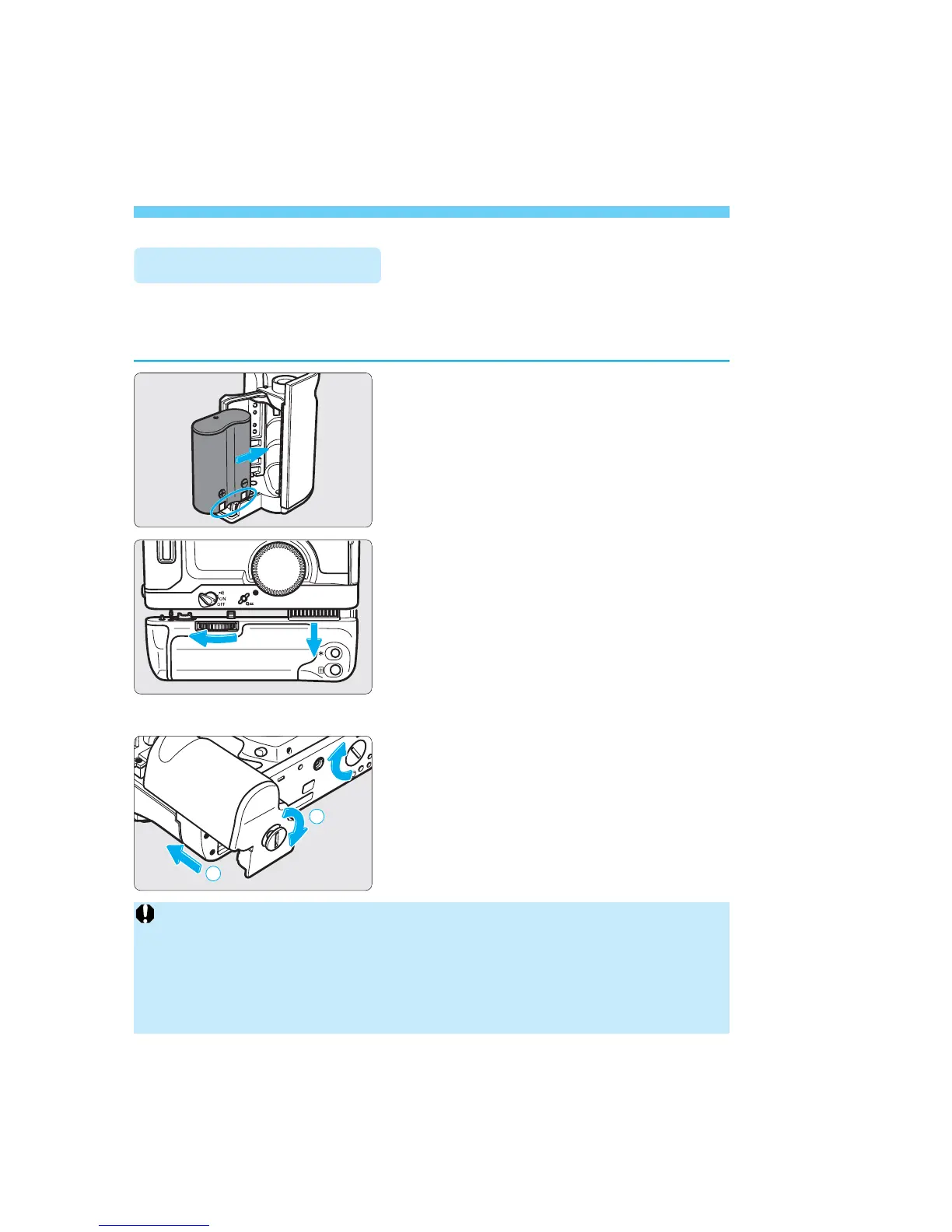
Install a battery in the Grip GR-E2.
(
→p.19)
• As shown in the diagram, insert the
battery with the contacts toward the
bottom right. Then close the cover.
2
Detach the Power Drive Booster
PB-E2.
• Turn the Power Drive Booster PB-
E2’s attachment knob as shown by
the arrow to loosen it. Then slide
down the Booster.
• On the bottom of the EOS-1V, attach
the cover (provided with the GR-E2)
on the film advance coupler. (
→p.8)
3
Attach the Grip GR-E2.
• Attach the Grip to the camera and
tighten the Grip’s attachment screw.
• Attach the contact cover (provided
with the GR-E2) to the Power Drive
Booster PB-E2 to protect the
electrical contacts.
You can replace the Power Drive Booster PB-E2 with the normal Grip GR-
E2 (sold separately) found on the EOS-1V.
The GR-E2 uses one lithium 2CR5 battery.
Attaching Grip GR-E2
Cautions when using the Power Drive Booster PB-E2 with the EOS-1 and EOS-1N
• Do not use size-AA lithium FR6 batteries or the Nickel-Hydride Pack NP-E2
with the EOS-1. Doing so may damage the EOS-1’s electronic circuitry due to
the high battery voltage.
• Do not use the Nickel-Hydride Pack NP-E2 with the EOS-1N. If the battery
voltage gets really low, battery pack performance may deteriorate markedly.
SEC.08 P115-118 (E) 29-01-2003 12:41 Pagina 118



 To Next Page
 Loading...









