61
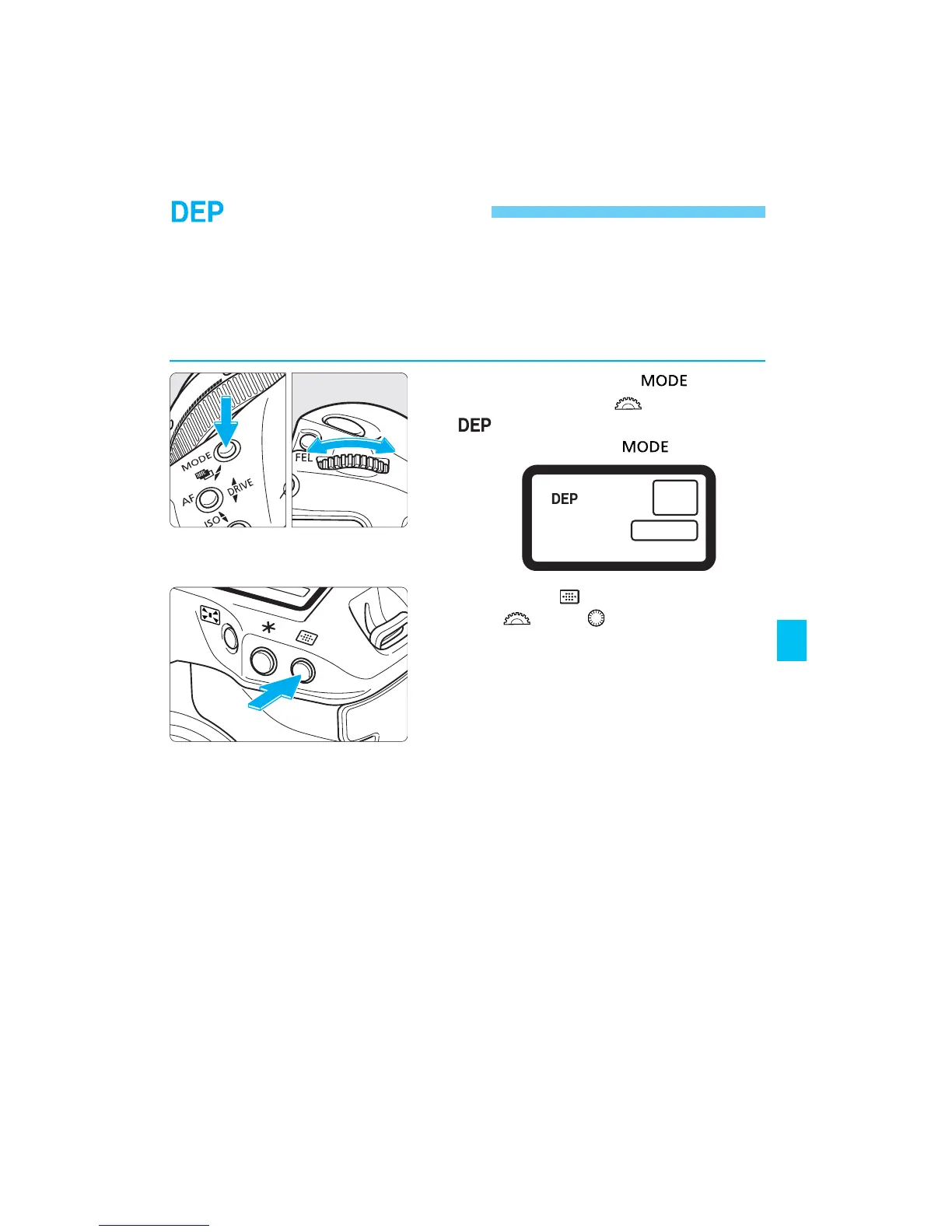
Depth-of-field AE
This mode is effective when you want a wide depth of field to keep
everything in focus near and far. The optimum point of focus and aperture
to attain the required depth of field are set automatically along with the
shutter speed.
• To use this mode, the lens focus mode switch must be set to AF.
1
While pressing the < >
button, turn the < > dial until
appears on the LCD panel.
Then release the < > button.
2
Press the < > button and turn
the < > or < > dial to select
the desired focusing point.
SEC.05 P055-082 (E) 28-01-2003 16:14 Pagina 61



 To Next Page
 Loading...









