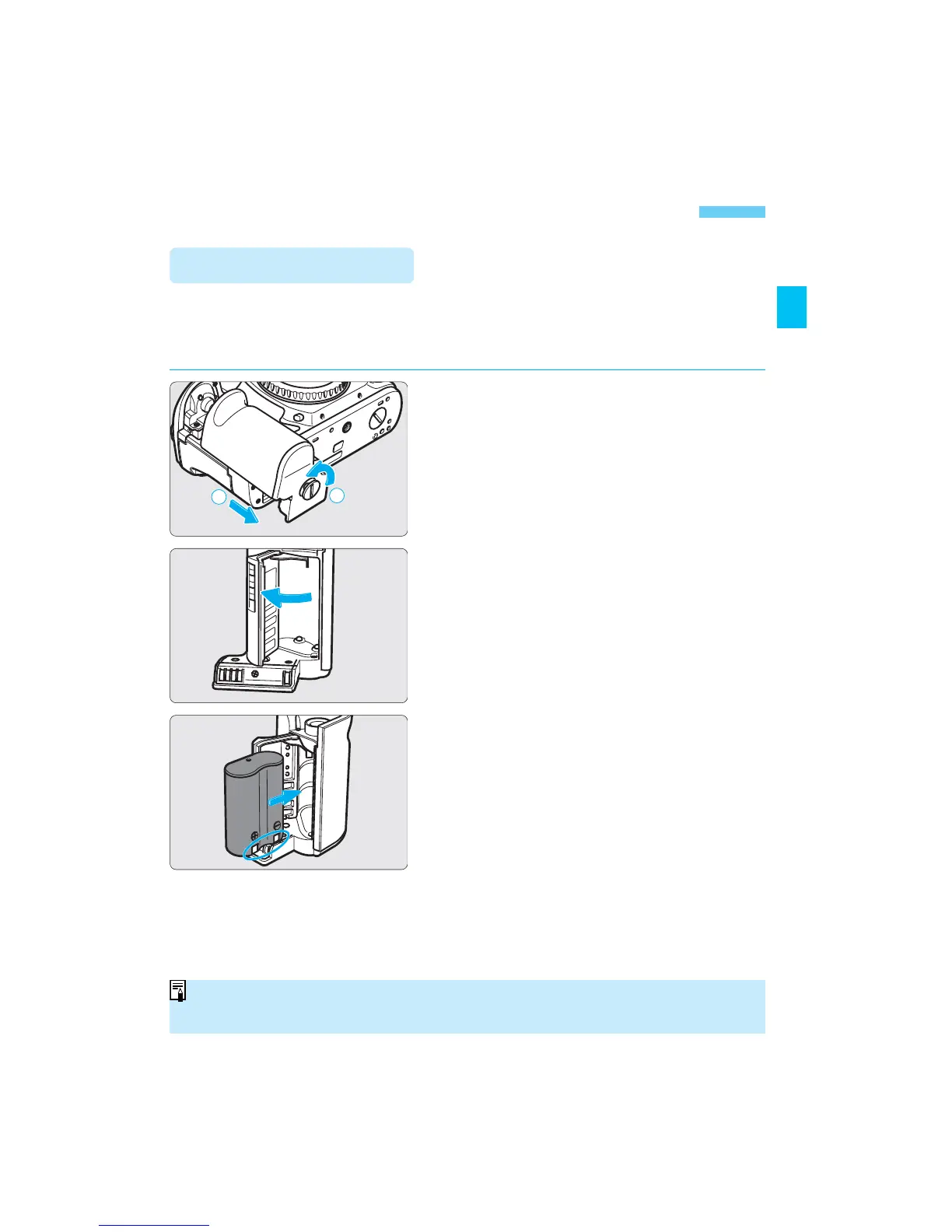
1
Remove the grip.
• Use a coin to turn and loosen the grip
screw as shown by the arrow in the
figure. Slide off the grip downward.
2
Open the cover.
3
Install the battery.
• Install the battery so that the battery
contacts are on the right and bottom.
Then close the cover.
4
Reattach the grip.
• Reattach the grip to the camera, then
turn the grip screw to tighten
securely.
The battery is housed in the camera grip. Remove the grip to install one
2CR5 lithium battery.
• For the EOS-1V HS, see page 115.
Installing the Battery
Lithium batteries may not be available in certain areas. Carry a spare battery
when going on a trip or when you will use many rolls of film.
SEC.01 P013-028 (E) 28-01-2003 10:20 Pagina 19



 To Next Page
 Loading...









