36
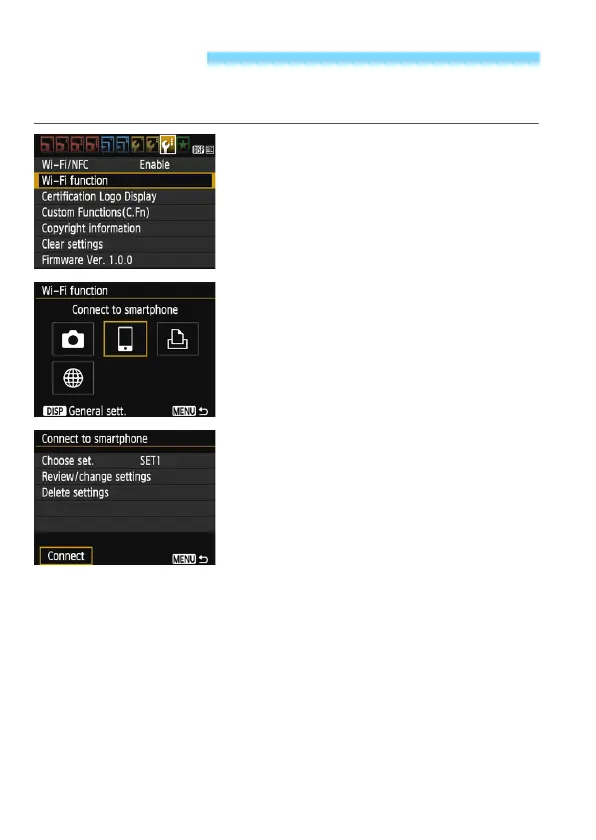
The camera can reconnect to a smartphone for which connection
settings have been registered.
1
Select [Wi-Fi function].
Under the [53] tab, set [Wi-Fi/NFC]
to [Enable], then select [Wi-Fi
function].
2
Select [q].
Select [q] (Connect to smartphone)
and press <0>.
3
Select [Connect].
When settings for multiple connection
destinations are registered, select
[Choose set.], select the connection
destination, then connect to the
destination.
Select [Connect] and press <0>.
On the confirmation dialog, select
[OK].
Reconnecting















 To Next Page