83
Establish a connection by selecting the SSID (or ESS-ID) of the access
point to connect to from a list of active access points nearby.
1
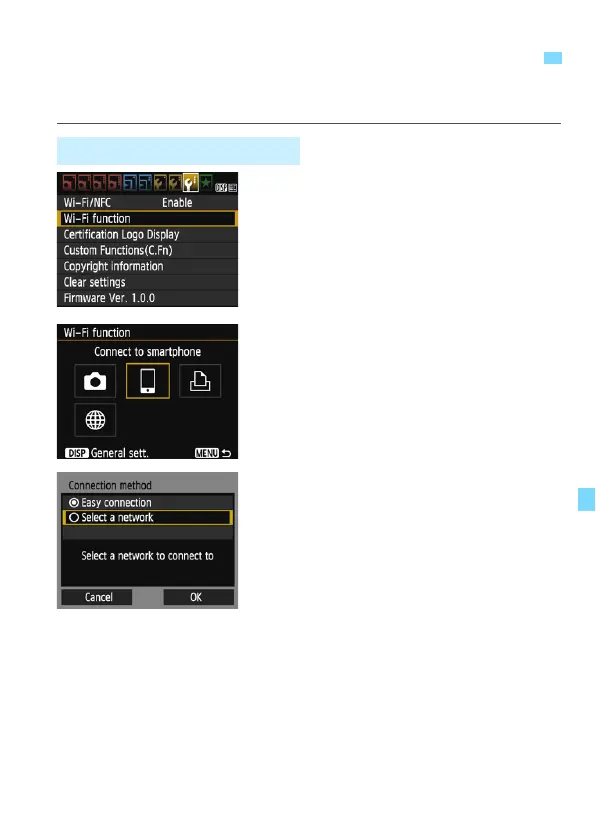
Select [Wi-Fi function].
Under the [53] tab, set [Wi-Fi/NFC]
to [Enable], then select [Wi-Fi
function] (p.17).
If a screen for setting a nickname (for
identification) appears, register a
nickname (p.14).
2
Select an item.
Select [q] or [l], then press <0>.
The camera’s <k> lamp will blink.
3
Select [Select a network].
Select [Select a network] and press
<0>.
Select [OK] and press <0> to go to
the next screen.
Connecting to a Detected Network Manually
Selecting the Access Point















 To Next Page