17
The basic operation for using the camera’s wireless functions is
explained here. Follow the procedures below.
1
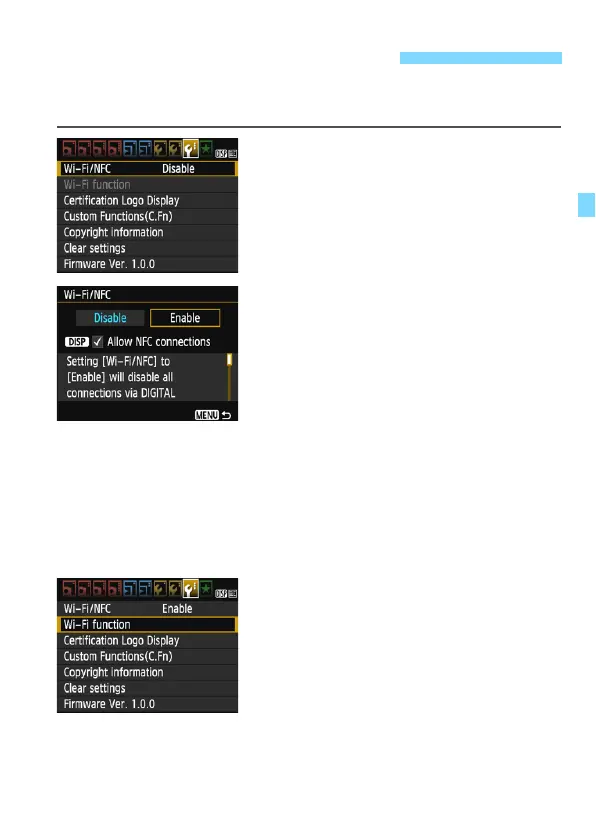
Select [Wi-Fi/NFC].
Under the [53] tab, select [Wi-Fi/
NFC], then press <0>.
2
Select [Enable].
Press the <Z> key to select
[Enable], then press <0>.
When a nickname (for
identification) is not registered, a
registration screen is displayed.
See page 14 to register a nickname.
[Wi-Fi function] under the [53] tab is
now selectable.
When it is set to [Enable], all
connections via the DIGITAL and
HDMI terminals will be disabled.
[Eye-Fi trans.] will be set to
[Disable].
3
Select [Wi-Fi function].
Under the [53] tab, select [Wi-Fi
function], then press <0>.
Basic Operation and Settings















 To Next Page