58
The camera and a printer can be directly connected wirelessly. Since no
access point is necessary for connection, you can print easily.
To establish a connection, operations on the printer are required. For
details, refer to the printer’s instruction manual.
1
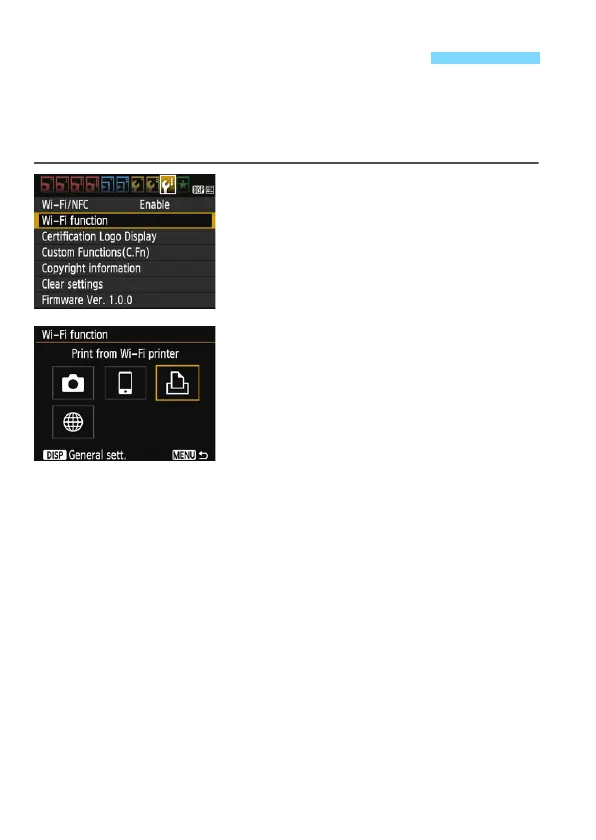
Select [Wi-Fi function].
Under the [53] tab, set [Wi-Fi/NFC]
to [Enable], then select [Wi-Fi
function] (p.17).
If a screen for setting a nickname (for
identification) appears, register a
nickname (p.14).
2
Select [l].
Select [l] (Print from Wi-Fi printer)
and press <0>.
The camera’s <k> lamp will blink.
Connecting with Easy Connection















 To Next Page