54
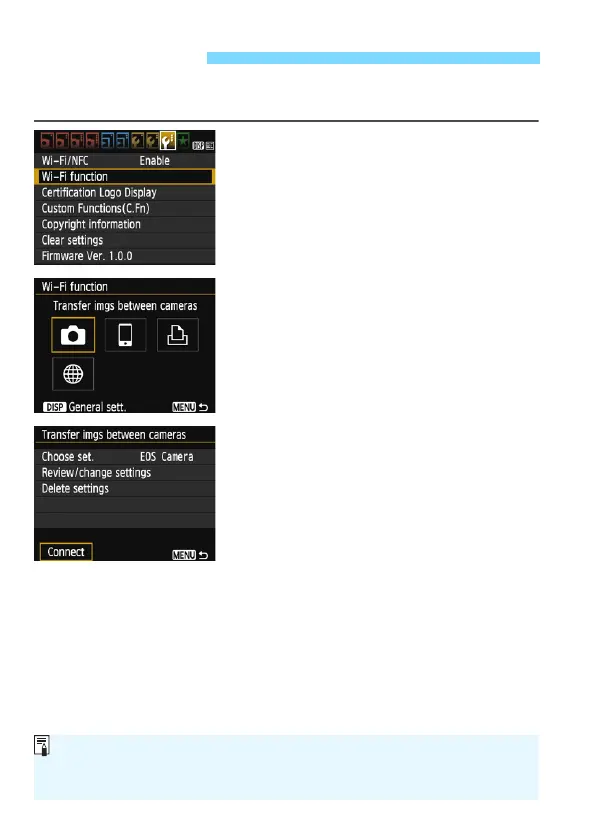
The camera can reconnect to a camera for which connection settings
have been registered.
1
Select [Wi-Fi function].
Under the [53] tab, set [Wi-Fi/NFC]
to [Enable], then select [Wi-Fi
function].
2
Select [z].
Select [z] (Transfer images
between cameras) and press <0>.
3
Select [Connect].
When settings for multiple connection
destinations are registered, select
[Choose set.], select the connection
destination, then connect to the
destination.
Select [Connect] and press <0>.
On the confirmation dialog, select
[OK].
Perform the reconnection procedure
on the target camera as well.
The images on the card are displayed
and the images to send can be
selected.
By default, settings are named after
the nickname of the target camera.
Reconnecting
If Wi-Fi settings are cleared (p.115) or the connection setting is deleted
(p.114) on the target camera, reconnection will no longer be possible. Select
[Review/change settings] and change the settings (p.112).















 To Next Page