48
Register the target camera to connect to wirelessly. The camera can be
connected to only one camera at a time.
1
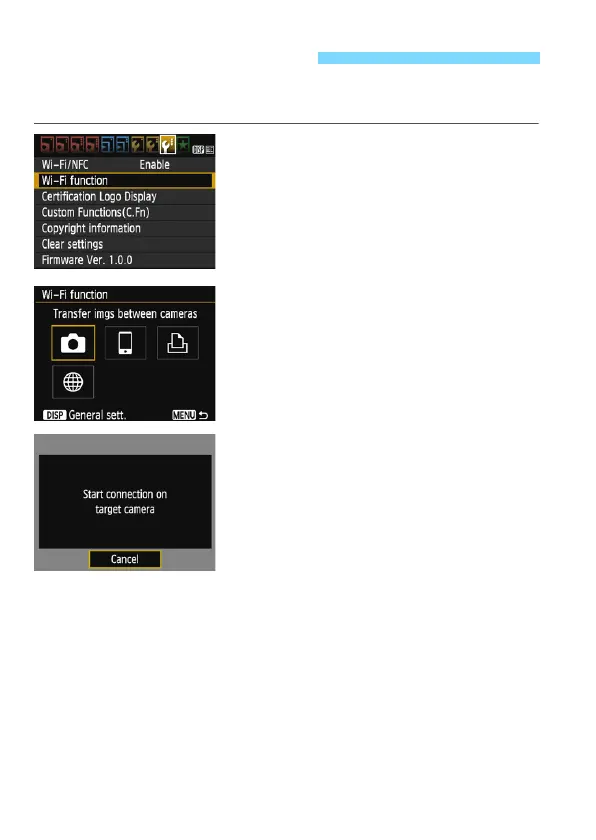
Select [Wi-Fi function].
Under the [53] tab, set [Wi-Fi/NFC]
to [Enable], then select [Wi-Fi
function] (p.17).
If a screen for setting a nickname (for
identification) appears, register a
nickname (p.14).
2
Select [z].
Select [z] (Transfer images
between cameras) and press <0>.
The camera’s <k> lamp will blink.
3
Set up the target camera.
When the screen on the left is
displayed on the camera, set up the
connection on the target camera as
well. For the operation procedure,
refer to the instruction manual of the
target camera.
When a connection is established, an
image on the card is displayed.
The camera’s <k> lamp will light up
in green.
Connecting to a Camera















 To Next Page