72
To connect to z (Transfer images between cameras) or Connect
Station, see “Easy Connection” (p.23).
* These instructions assume that they will be followed only after each device,
such as a smartphone, is connected to a Wi-Fi access point.
*For [Camera access point mode], see page 88.
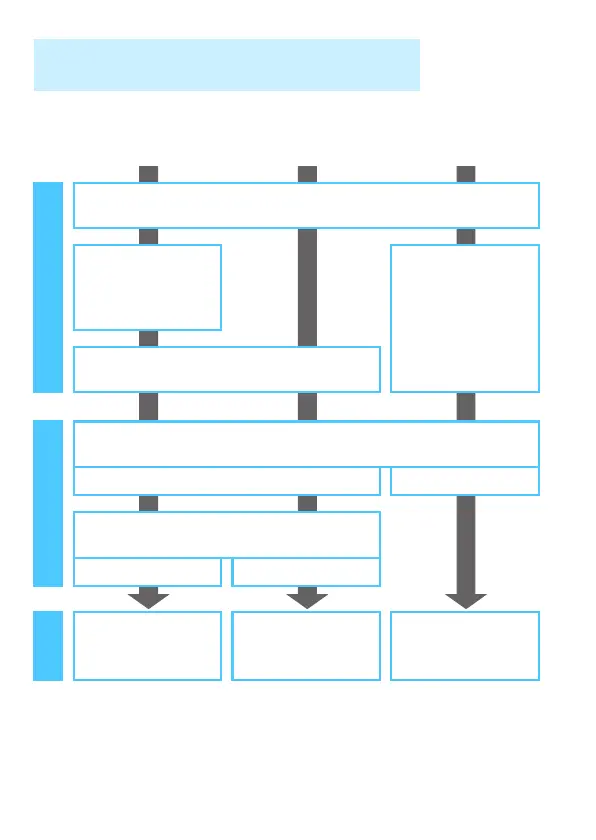
Wireless LAN Function Operation Flowchart
(Advanced Connection)
q
Smartphone
l
Printer
m
Web service
Set up
Register a nickname (p.14)
Install Camera
Connect on a
smartphone (p.22)
• Register with
CANON iMAGE
GATEWAY (p.90)
• Register Web
services on the
camera (p.91)
Connect each device to a Wi-Fi access point*
Connect
Connect the camera to a Wi-Fi access point
(p.73) (p.89)
Connect the camera to each device
(p.31) (p.60)
Use
Make images
viewable and shoot
remotely (p.34)
Print images (p.61)
Save and share
images (p.104)















 To Next Page