55
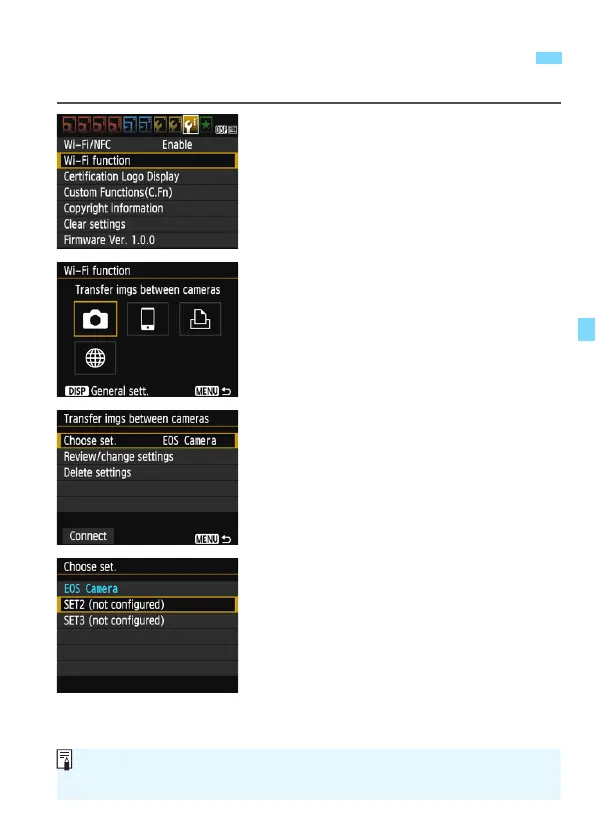
You can register up to three camera connection settings.
1
Select [Wi-Fi function].
Under the [53] tab, set [Wi-Fi/NFC]
to [Enable], then select [Wi-Fi
function].
2
Select [z].
Select [z] (Transfer images
between cameras) and press <0>.
3
Select [Choose set.].
Select [Choose set.] and press
<0>.
4
Select [SET* (not configured)].
Select [SET* (not configured)] and
press <0>.
The connection settings screen is
displayed. Follow the procedures
displayed to complete the connection
settings.
Registering Multiple Connection Settings
The name of the setting can be changed later (p.113).
To delete settings, see page 114.















 To Next Page