103
In indoor, low light or backlit conditions in daylight, just raise the built-in
flash and press the shutter button to take flash pictures. In the <d>
mode, the shutter speed (1/60 sec. - 1/200 sec.) will be set
automatically to prevent camera shake.
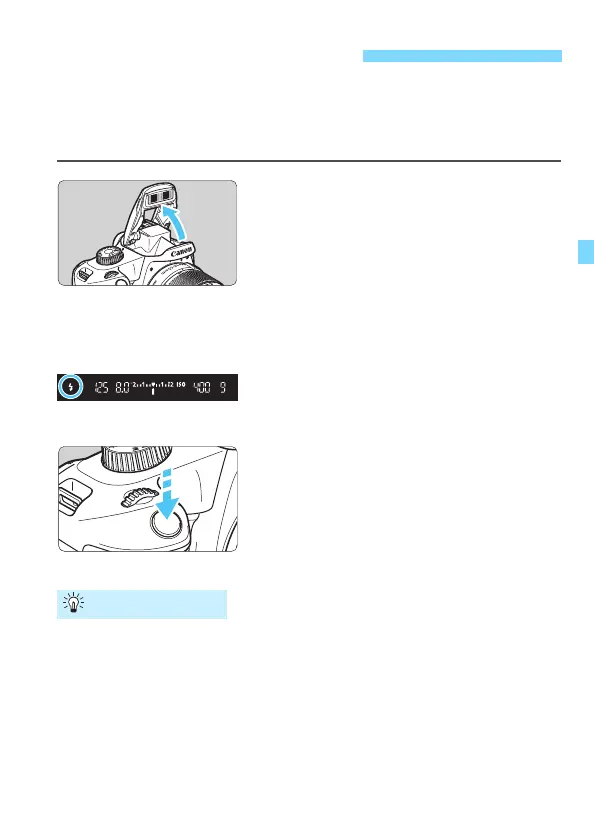
1
Raise the built-in flash with your
fingers.
In Creative Zone modes, when you
raise the flash, you can take flash
pictures anytime.
While the flash is recycling, “DbuSY”
is displayed in the viewfinder, and
[BUSYD] is displayed on the LCD
monitor.
2
Press the shutter button halfway.
In the bottom left of the viewfinder,
check that the <D> icon is lit.
3
Take the picture.
When focus is achieved and you
press the shutter button completely,
the flash will fire at all times.
When you finish shooting, push down
the built-in flash with your fingers.
In bright light, decrease the ISO speed.
If the exposure setting in the viewfinder blinks, decrease the ISO
speed.
Detach the lens hood. Do not get too close to the subject.
If the lens has a hood attached or you are too close to the subject,
the bottom of the picture may look dark due to the obstructed flash.
For important shots, play back the image and check to make sure
the picture does not look unnaturally dark at the bottom part.
D Using the Built-in Flash
Shooting Tips













 To Next Page