174
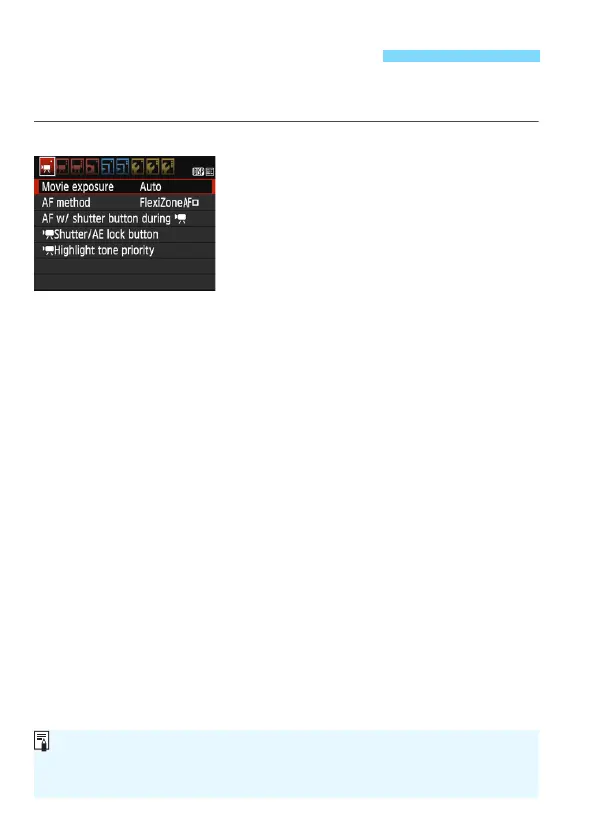
Menu options under the [k1], [k2], and [k3] tabs are explained
below.
[k1]
Movie exposure
Normally, set this to [Auto].
Setting it to [Manual] will enable you to manually set the ISO speed,
shutter speed, and aperture for movie shooting (p.160).
AF method
The AF methods are the same as described on pages 146-153. You
can select [FlexiZone - Single], [u Live mode], or [Quick mode].
Note that continuous focusing on a moving subject is not possible.
AF with shutter button during k
When [Enable] is set, AF is possible during movie shooting.
However, continuous autofocusing is not possible. If you autofocus
during movie shooting, the focus may be momentarily thrown off or
the exposure may be changed. The movie will also record the lens
operation sound.
During movie shooting, if the AF method is set to [Quick mode], AF
will be executed in [FlexiZone - Single].
3 Menu Function Settings
The settings under the [k1], [k2], and [k3] menu tabs will take
effect only in the <k> mode.
The [AF method] setting will also be applied to Live View shooting.












 To Next Page