229
L Erasing Images
2
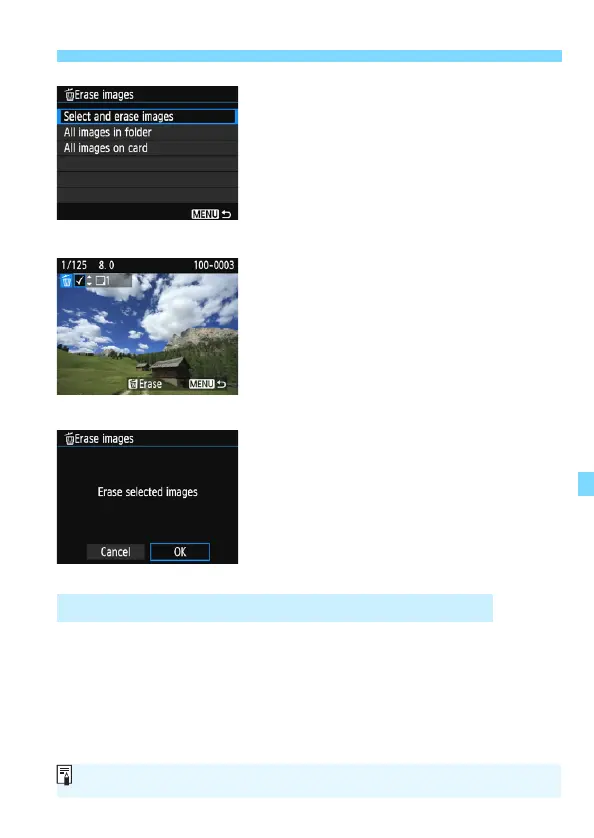
Select [Select and erase images].
Select [Select and erase images],
then press <0>.
An image will be displayed.
To display the three-image display,
press the <Hy> button. To return to
the single-image display, press the
<u> button.
3
Select the images to be erased.
Press the <Y> <Z> keys to select
the image to be erased, then press
the <W> <X> keys.
A checkmark [X] will be displayed on
the upper left of the screen.
To select another image to be erased,
repeat step 3.
4
Erase the image.
Press the <L> button.
Select [OK], then press <0>.
The selected images will be erased.
You can erase all the images in a folder or on a card at one time. When
[x1: Erase images] is set to [All images in folder] or [All images on
card], all the images in the folder or on the card will be erased.
3 Erasing All Images in a Folder or on a Card
To erase all images including protected images, format the card (p.52).












 To Next Page