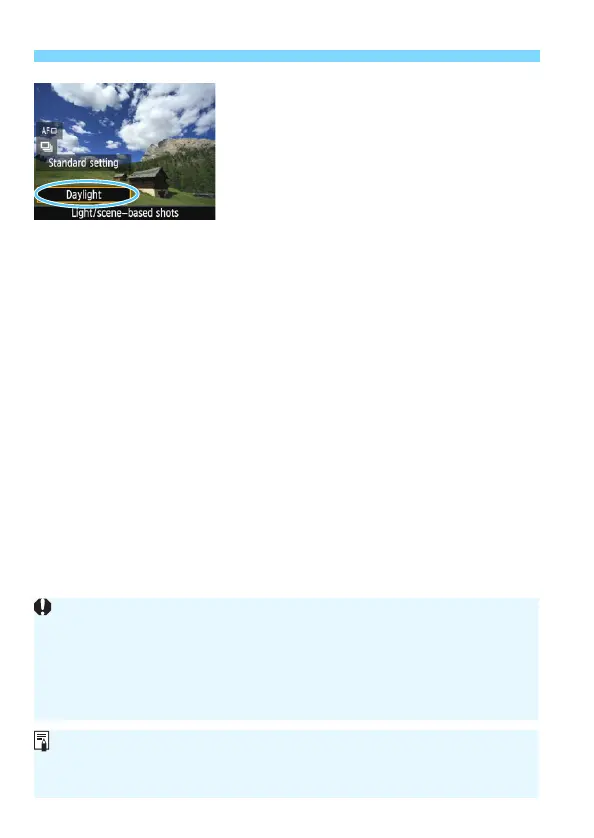
Shooting by Lighting or Scene Type
80
3
With Quick Control, select the
lighting or scene type.
Press the <Q> button (7).
Press the <W> <X> keys to select
[Default setting]. [Light/scene-
based shots] will appear on the
screen.
Press the <Y> <Z> keys or turn the
<6> dial to select the lighting or
scene type.
The resulting image with the selected
lighting or scene type will be
displayed.
4
Take the picture.
Press the shutter button completely to
take the picture.
To return to viewfinder shooting,
press the <A> button to exit Live
View shooting. Then press the shutter
button completely to take the picture.
If you change the shooting mode or
turn off the power, the setting will
revert back to [Default setting].
If you use flash, the setting will switch to [Default setting]. (However, the
shooting information will display the lighting or scene type that is set.)
If you want to set this function together with [Ambience-based shots],
set the lighting or scene type that best matches the ambience you have
set. In the case of [Sunset], particularly, warm colors will become
prominent so the ambience you set may not be effective.
If you do not want the Live View image to be displayed when setting
functions, press the <Q> button after step 1 and set [Light/scene-based
shots].













 To Next Page