85
d: Program AE
Change the ISO speed. Use the built-in flash.
To match the subject and ambient lighting level, you can change the
ISO speed (p.90) or use the built-in flash (p.103). When indoors or in
low-light conditions, raise the built-in flash.
Change the program using Program shift.
After pressing the shutter button halfway, turn the <6> dial to
change the shutter speed and aperture setting combination
(program). Program shift is canceled automatically when the
metering timer (0) ends (exposure setting display turns off).
Program shift is not possible with flash.
Shooting Tips
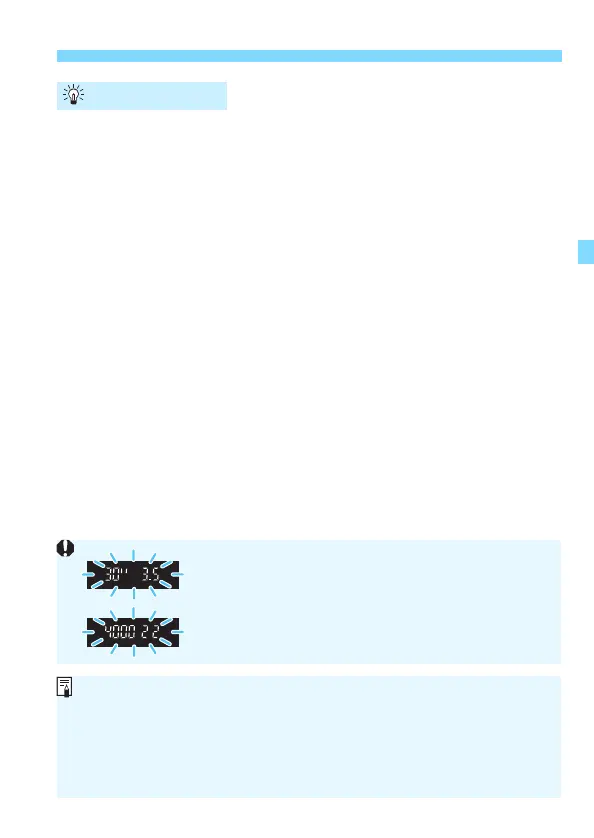
If the “30"” shutter speed and the lowest f/number
blink, it indicates underexposure. Increase the ISO
speed or use flash.
If the “4000” shutter speed and the highest f/number
blink, it indicates overexposure. Decrease the ISO
speed.
Differences Between <d> and <A>
In the <A> mode, many functions, such as the AF operation and metering
mode, are set automatically to prevent spoiled shots. The functions you can
set are limited. With <d> mode, only the shutter speed and aperture are set
automatically. You can freely set the AF operation, metering mode, and
other functions (p.272).













 To Next Page