EasyManua.ls Logo

Canon EOS A2 - Page 19

Canon EOS A2
72 pages
Print Icon
To Next Page IconTo Next Page
To Previous Page IconTo Previous Page
Loading...
_—
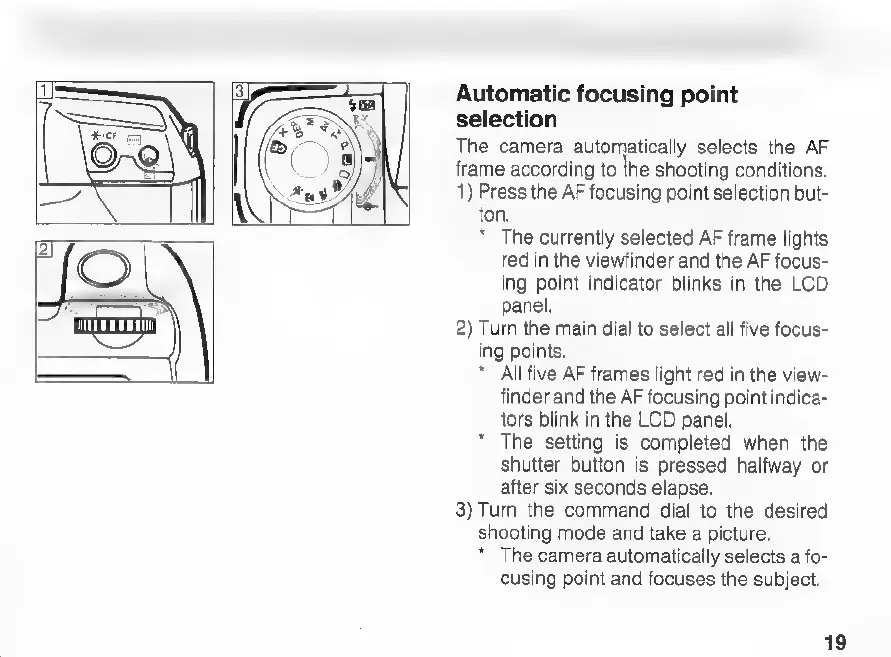
Automatic
focusing
point
selection
The
camera
automatically
selects
the
AF
frame
according
to
the
shooting
conditions.
1)
Press
the
AF
focusing
point
selection
but-
ton.
*
The
currently
selected
AF
frame
lights
red
in
the
viewfinder
and
the
AF
focus-
ing
point
indicator
blinks
in
the
LCD
panel.
2)
Turn
the
main
dial
to
select
all
five
focus-
ing
points.
*
All
five
AF
frames
light
red
in
the
view-
finder
and
the
AF
focusing
point
indica-
tors
blink
in
the
LCD
panel.
*
The
setting
is
completed
when
the
shutter
button
is
pressed
halfway
or
after
six
seconds
elapse.
3)
Turn
the
command
dial
to
the
desired
shooting
mode
and
take
a
picture.
*
The
camera
automatically
selects
a
fo-
cusing
point
and
focuses
the
subject.
19

Related product manuals