EasyManua.ls Logo

Canon EOS A2 - Self-Timer Function

Canon EOS A2
72 pages
Print Icon
To Next Page IconTo Next Page
To Previous Page IconTo Previous Page
Loading...
12.
Self-timer
Function
When
using
the
self-timer,
place
the
camera
ona
tripod
or
a
steady
surface.
The
picture
is
Pressing
the
shutter
button
with
your
eye
away
from
the
viewfinder
may
allow
light
to
enter
the
viewfinder
and
trick
the
metering
system
into
setting
a
wrong
exposure.
To
prevent
this
from
happening,
remove
the
eye
cup
from
the
eyepiece
and
cover
the
eyepiece
with
the
cover
provided
on
the
strap
before
pressing
the
shutter
button.
taken
approximately
10
seconds
after
you
press
the
shutter
button.
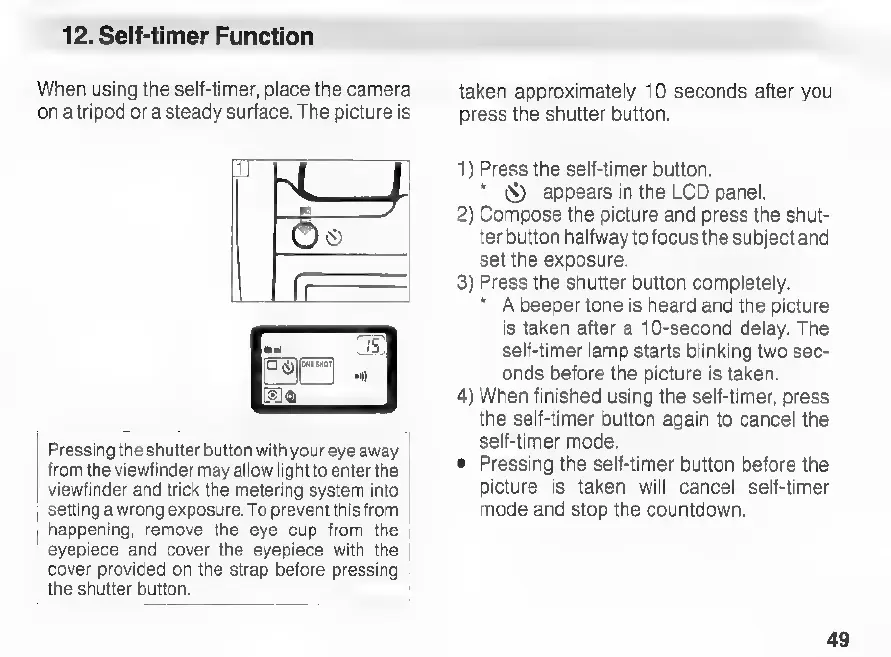
1)
Press
the
self-timer
button.
*
X)
appears
in
the
LCD
panel.
2)
Compose
the
picture
and
press
the
shut-
ter
button
halfway
to
focus
the
subject
and
set
the
exposure.
3)
Press
the
shutter
button
completely.
*
A
beeper
tone
is
heard
and
the
picture
is
taken
after
a
10-second
delay.
The
self-timer
lamp
starts
blinking
two
sec-
onds
before
the
picture
is
taken.
4)
When
finished
using
the
self-timer,
press
the
self-timer
button
again
to
cancel
the
self-timer
mode.
e
Pressing
the
self-timer
button before
the
picture
is
taken
will
cancel
self-timer
mode
and
stop
the
countdown.
49

Related product manuals