EasyManua.ls Logo

Canon EOS A2 - Bulb (Long Exposure)

Canon EOS A2
72 pages
Print Icon
To Next Page IconTo Next Page
To Previous Page IconTo Previous Page
Loading...
11.
Bulb
(Long
Exposure)
Operation
Use
this
mode
when
long
exposures
are
re-
quired,
such
as
for
pictures
of
night
scenes
and
fireworks
displays.
The
shutter
stays
open
for
as
long
as
you
press
the
shutter
but-
ton.
Mount
the
camera
on
a
tripod
to
prevent
camera
movement
during
exposure.
48
©
The
remote
switch
60T3
(sold
separately)
can
be
connected
to
the
camera's
remote
control
socket
for
use
in
starting
and
stop-
ping
the
bulb
exposure.
For
details,
read
the
instructions
supplied
with
the
60T3
©
Battery
life
during
bulb
exposure
is
ap-
proximately
6
hours
with
a
new
battery.
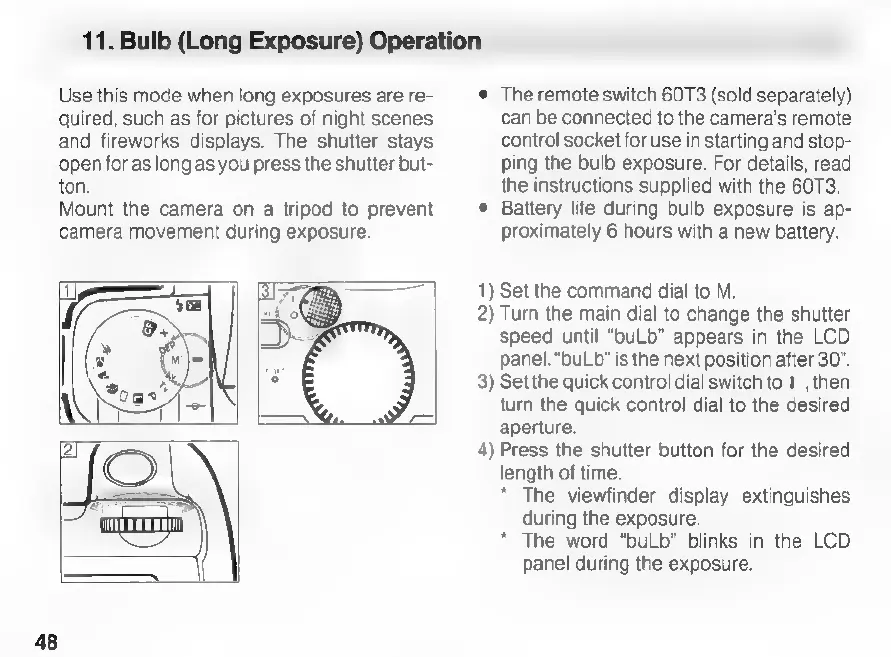
1)
Set
the
command
dial
to
M.
2)
Turn
the
main
dial
to
change
the
shutter
speed
until
“buLb"
appears
in
the
LCD
panel.
“buLb”
is
the
next
position
after
30".
3)
Set
the
quick
control
dial
switch
to
|,
then
turn
the
quick
control
dial
to
the
desired
aperture.
4)
Press
the
shutter
button
for
the
desired
length
of
time.
*
The
viewfinder
display
extinguishes
during
the
exposure.
*
The
word
“buLb"
blinks
in
the
LCD
panel
during
the
exposure.

Related product manuals