EasyManua.ls Logo

Canon EOS A2 - Exposure Controls

Canon EOS A2
72 pages
Print Icon
To Next Page IconTo Next Page
To Previous Page IconTo Previous Page
Loading...
5.
Exposure
Compensation
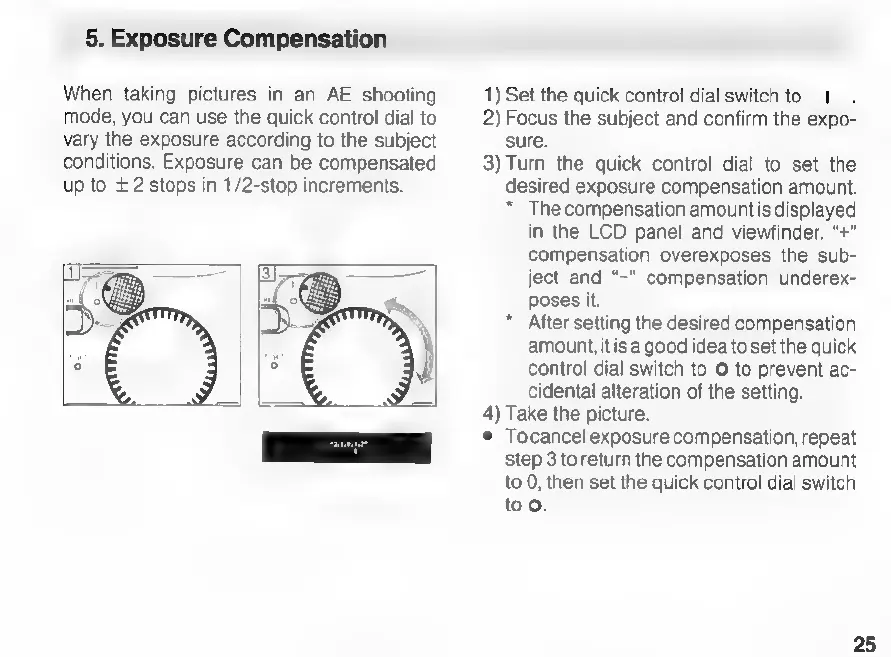
When
taking
pictures
in
an
AE
shooting
mode,
you
can
use
the
quick
control
dial
to
vary
the
exposure
according
to
the
subject
conditions.
Exposure
can
be
compensated
up
to
+2
stops
in
1/2-stop
increments.
1)
Set
the
quick
control
dial
switch
to
1
2)
Focus
the
subject
and
confirm
the
expo-
sure.
3)
Turn
the
quick
control
dial
to
set
the
desired
exposure
compensation
amount.
*
The
compensation
amountis
displayed
in
the
LCD
panel
and
viewfinder.
“+”
compensation
overexposes
the
sub-
ject
and
“-"
compensation
underex-
poses
it.
After
setting
the
desired
compensation
amount,
itis
a
good
idea
to
set
the
quick
control
dial
switch
to
©
to
prevent
ac-
cidental
alteration
of
the
setting.
x!
Take
the
picture.
e
Tocancel
exposure
compensation,
repeat
step
3
to
return
the
compensation
amount
to
0,
then
set
the
quick
control
dial
switch
too.
25

Related product manuals