EasyManua.ls Logo

Canon EOS A2 - Selecting the Metering Mode

Canon EOS A2
72 pages
Print Icon
To Next Page IconTo Next Page
To Previous Page IconTo Previous Page
Loading...
4.
Selecting
the
Metering
Mode
Three
metering
modes
are
available:
evalua-
tive
metering,
spot
metering
and
center-
weighted
average
metering.
E
|
Pees
aeae
24
[©]
(Evaluative
metering)
Use
this
mode
for
general
subjects.
The
ex-
posure
setting
is
based
on
the
focusing
point
in
use,
taking
into
account
such
factors
as
subject
size,
position,
overall
lighting
level,
front
lighting
and
back
lighting.
(EA)
(Spot
metering)
This
mode
limits
the
metering
area
to
the
central
part
of
the
viewfinder
(approx.
3.5%
of
the
image
area).
Use
this
mode
when
there
is
a
big
difference
in
brightness
between
the
main
subject
and
the
background,
or
for
sub-
jects
that
require
precise
measurement,
such
as
close-up
photography.
|e}
(Center-weighted
average
metering)
Metering
is
averaged
over
the
entire
scene
with
emphasis
placed
on
the
center
area.
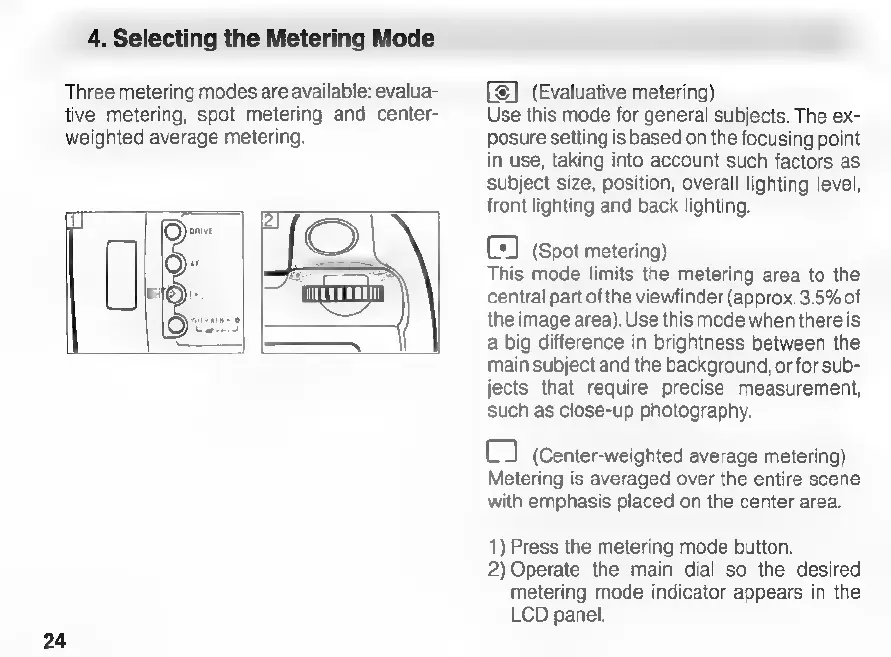
1)
Press
the
metering
mode
button.
2)
Operate
the
main
dial
so
the
desired
metering
mode
indicator
appears
in
the
LCD
panel.

Related product manuals