EasyManua.ls Logo

Canon EOS A2 - Specialized Shooting Functions

Canon EOS A2
72 pages
Print Icon
To Next Page IconTo Next Page
To Previous Page IconTo Previous Page
Loading...
10.
Multiple
Exposure
mia
Ee
Helpful
Hints
When
taking
multiple
exposures
on
a
single
frame,
you
should
decrease
the
exposure
value
for
each
exposure
using
exposure
com-
pensation
(refer
to
page
25).
Number
of
multiple
Compensation
exposures
amount
2
exposures
~16
3
exposures
“15
4
exposures
-2.0
The
above
values
should
be
used
only
as
a
guide.
The
actual
compensation
amount
re-
quired
depends
on
the
shooting
conditions
and
should
be
determined
by
prior
testing.
Up
to
nine
exposures
can
be
made
on
one
frame
by
presetting
the
number
of
multiple
exposures
with
the
main
dial.
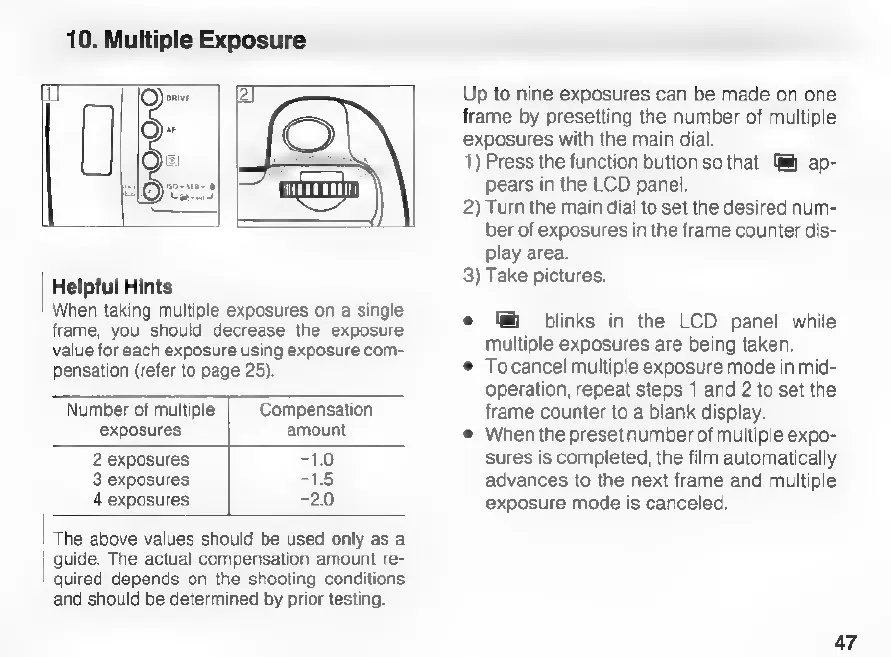
1)
Press
the
function
button
so
that
@h
ap-
pears
in
the
LCD
panel.
2)
Turn
the
main
dial
to
set
the
desired
num-
ber
of
exposures
in
the
frame
counter
dis-
play
area.
3)
Take
pictures.
.
blinks
in
the
LCD
panel
while
multiple
exposures
are
being
taken.
Tocancel
multiple
exposure
mode
in
mid-
operation,
repeat
steps
1
and
2
to
set
the
frame
counter
to
a
blank
display.
When
the
preset
number
of
multiple
expo-
sures
is
completed,
the
film
automatically
advances
to
the
next
frame
and
multiple
exposure
mode
is
canceled.
47

Related product manuals