EasyManua.ls Logo

Canon EOS A2 - Page 29

Canon EOS A2
72 pages
Print Icon
To Next Page IconTo Next Page
To Previous Page IconTo Previous Page
Loading...
jov
Z
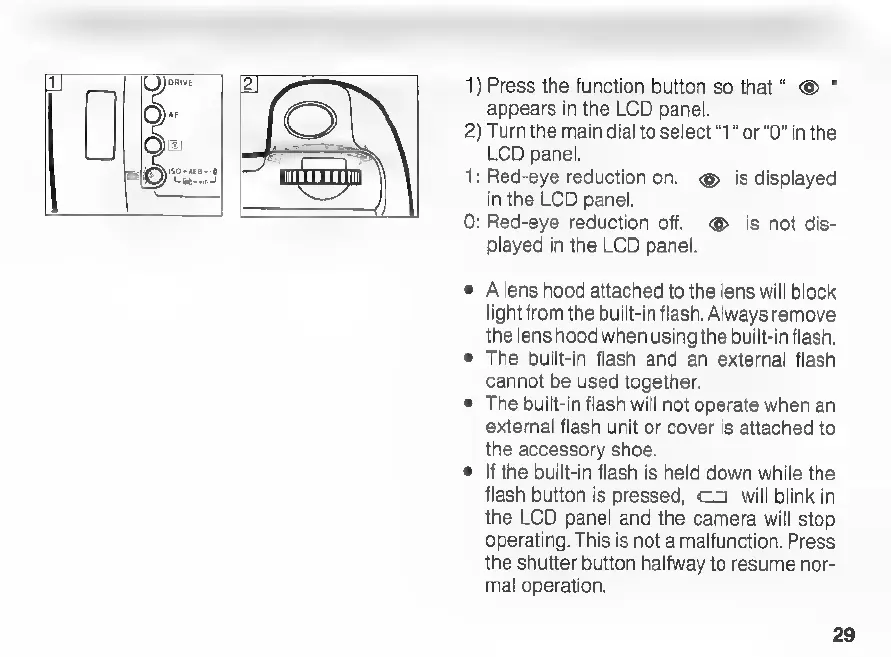
1)
Press
the
function
button
so
that“
©
appears
in
the
LCD
panel.
2)
Turn
the
main
dial
to
select
“1”
or
“0”
in
the
LCD
panel.
1:
Red-eye
reduction
on.
@
is
displayed
in
the
LCD
panel.
0:
Red-eye
reduction
off.
©
is
not
dis-
played
in
the
LCD
panel.
©
Alens
hood
attached
to
the
lens
will
block
light
from
the
built-in
flash.
Always
remove
the
lens
hood
when
using
the
built-in
flash.
e
The
built-in
flash
and
an
external
flash
cannot
be
used
together.
e
The
built-in
flash
will
not
operate
when
an
external
flash
unit
or
cover
is
attached
to
the
accessory
shoe.
©
|f
the
built-in
flash
is
held
down
while
the
flash
button
is
pressed,
<3
will
blink
in
the
LCD
panel
and
the
camera
will
stop
operating.
This
is
not
a
malfunction.
Press
the
shutter
button
halfway
to
resume
nor-
mal
operation.
29

Related product manuals