EasyManua.ls Logo

Canon EOS A2 - Page 34

Canon EOS A2
72 pages
Print Icon
To Next Page IconTo Next Page
To Previous Page IconTo Previous Page
Loading...
2.
Tv
(Shutter-priority
AE)
N
2
The
image
was
removed
due
to
copyright
restrictions
34
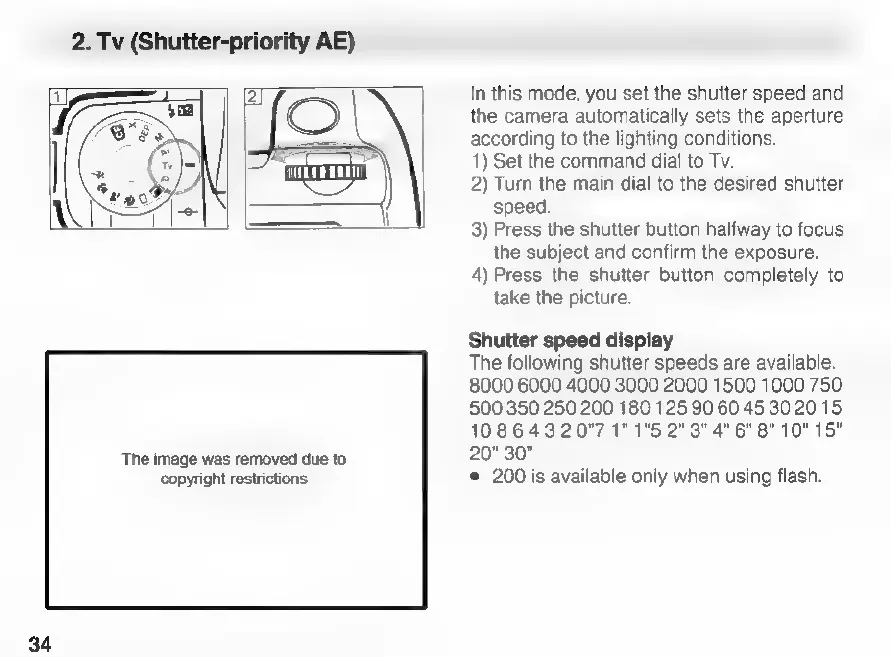
In
this
mode,
you
set
the
shutter
speed
and
the
camera
automatically
sets
the
aperture
according
to
the
lighting
conditions.
1)
Set
the
command
dial
to
Tv.
2)
Turn
the
main
dial
to
the
desired
shutter
speed.
3)
Press
the
shutter
button
halfway
to
focus
the
subject
and
confirm
the
exposure.
4)
Press
the
shutter
button
completely
to
take
the
picture.
Shutter
speed
display
The
following
shutter
speeds
are
available.
8000 6000 4000 3000 2000
1500
1000
750
500 350
250 200
180
125
90 60
4530
20
15
10
8 6
43
2
0”"7
1”
1"5
2”
3"
4"
6"
8"
10" 15"
20" 30”
e
200
is
available
only
when
using
flash.

Related product manuals