EasyManua.ls Logo

Canon EOS A2 - Page 60

Canon EOS A2
72 pages
Print Icon
To Next Page IconTo Next Page
To Previous Page IconTo Previous Page
Loading...
Focusing
Screens
Six
interchangeable
focusing
screens
are
available
to
suit
various
applications.
Each
comes
with
a
special
tool
for
simple
installa-
tion.
*
This
camera
is
originally
equipped
with
the
Standard
Matte
Screen.
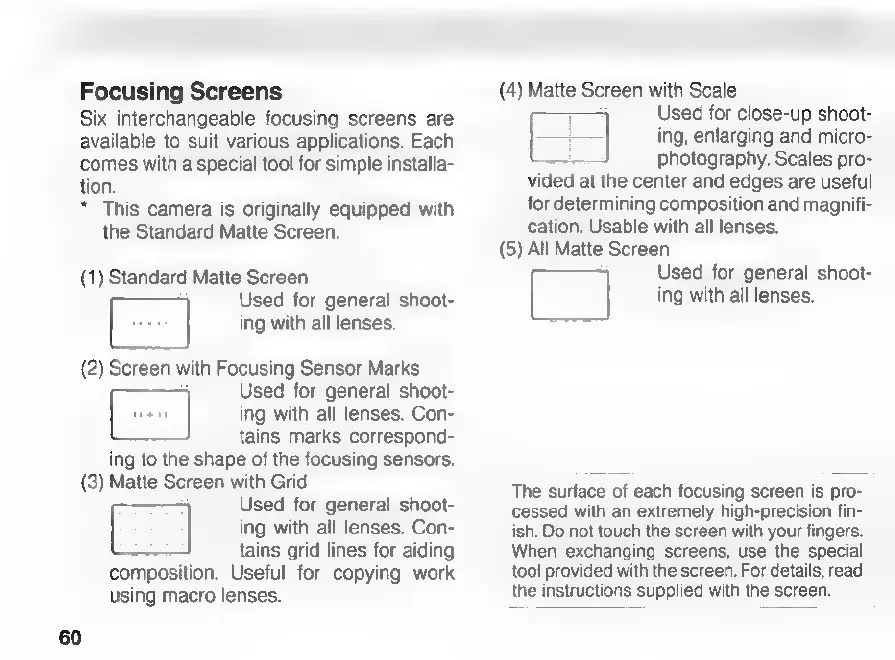
(1)
Standard
Matte
Screen
[|
Used
for
general
shoot-
ing
with
all
lenses.
(2)
Screen
with
Focusing
Sensor
Marks
ro
Used
for
general
shoot-
uen
ing
with
all
lenses.
Con-
tains
marks
correspond-
ing
to
the
shape
of
the
focusing
sensors.
(3)
Matte
Screen
with
Grid
Used
for
general
shoot-
Ei
ing
with
all
lenses.
Con-
tains
grid
lines
for
aiding
composition.
Useful
for
copying
work
using
macro
lenses.
60
(4)
Matte
Screen
with
Scale
Used
for
close-up
shoot-
ing,
enlarging
and
micro-
photography.
Scales
pro-
vided
at
the
center
and
edges
are
useful
for
determining
composition
and
magnifi-
cation.
Usable
with
all
lenses.
(5)
All
Matte
Screen
C]
Used
for
general
shoot-
H
ing
with
all
lenses.
The
surface
of
each
focusing
screen
is
pro-
cessed
with
an
extremely
high-precision
fin-
ish.
Do
not
touch
the
screen
with
your
fingers.
When
exchanging
screens,
use
the
special
tool
provided
with
the
screen.
For
details,
read
the
instructions
supplied
with
the
screen.

Related product manuals