10-8
Maintenance
Replacing the Toner Cartridge
On MF4140/MF4150, when the LCD
displays <OUT OF TONER/CHANGE
TONER>, or toner level is low by
pressing [Toner Gauge], redistribute
toner in the toner cartridge. If the
message persists, replace the toner
cartridge.
On MF4122, when the printout has
vertical white streaks, or toner level is
low by pressing [Toner Gauge],
redistribute the toner inside the
cartridge. If the problem persists,
replace the cartridge.
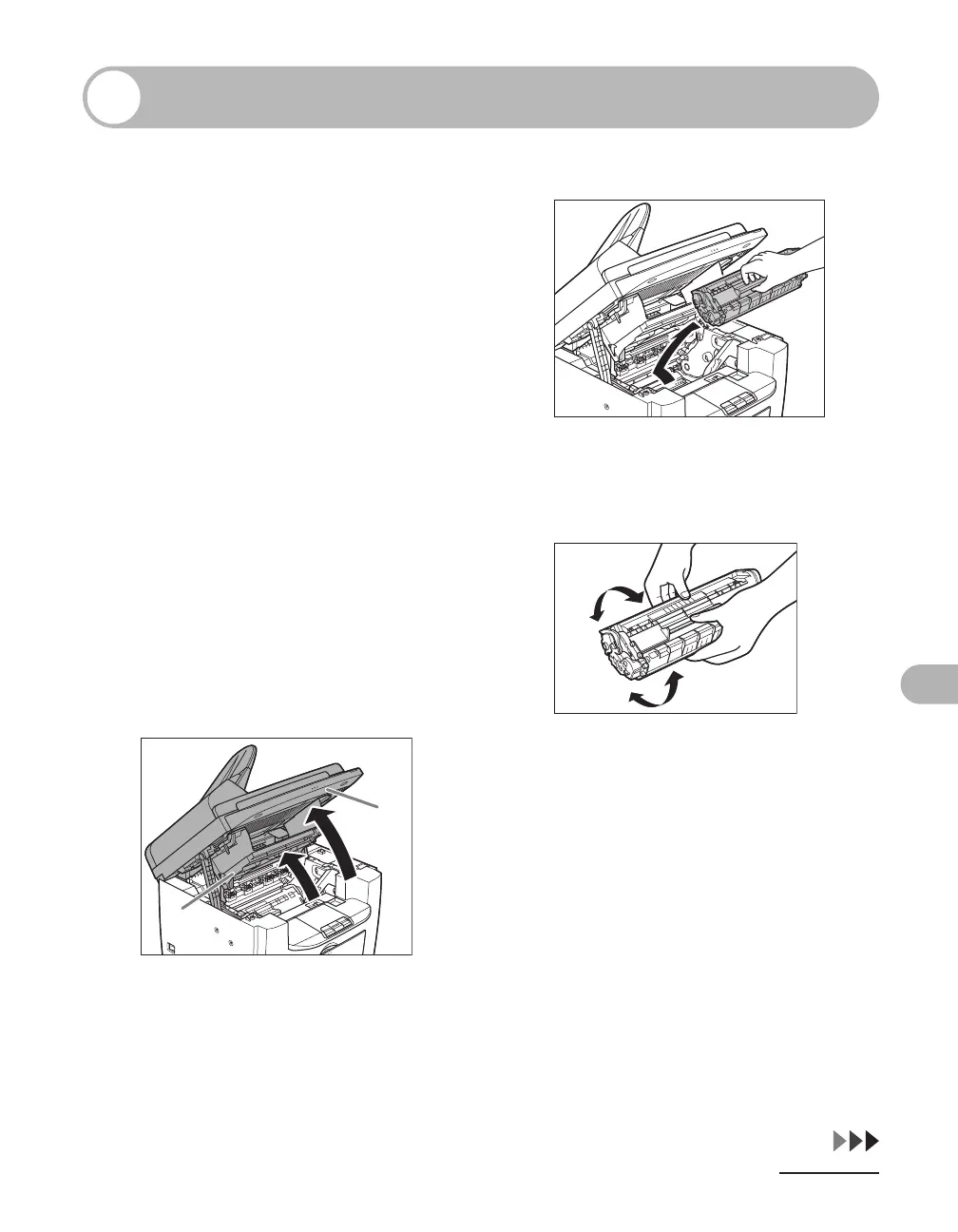
Redistributing Toner
1 Lift the scanning platform until it
is locked (A), and open the
printer cover (B).
2 Remove the toner cartridge.
3 Gently rock the toner cartridge
five or six times to distribute
toner evenly.
A
B











 To Next Page