10-10
Maintenance
Replacing the Toner
Cartridge with a New One
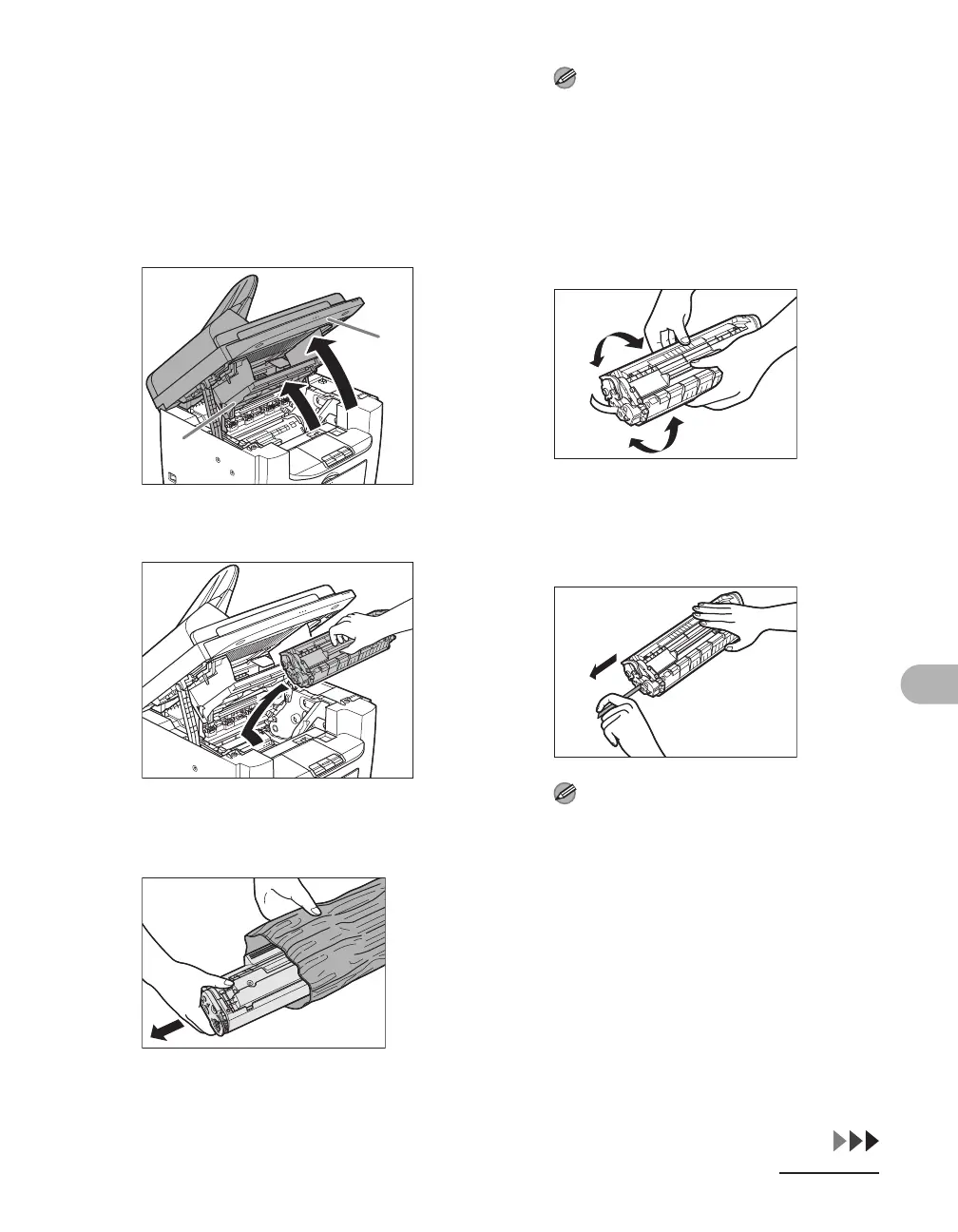
1 Lift the scanning platform until it
is locked (A), and open the
printer cover (B).
2 Remove the toner cartridge.
3 Remove the new toner cartridge
from the protective bag.
NOTE
Save the protective bag. You may need it
later when you remove the toner cartridge
from the machine.
4 Gently rock the toner cartridge
five or six times to distribute
toner inside.
5 Hold the toner cartridge with one
hand, and pull out the seal
completely.
NOTE
Do not pull out the seal at an angle.
A
B











 To Next Page