8-1
Scanning
Scanning
Follow this procedure to scan a document to your computer.
Make sure that the scanner driver is installed.
For details on scanner driver settings, see the Scanner Driver Guide (in the User
Software CD).
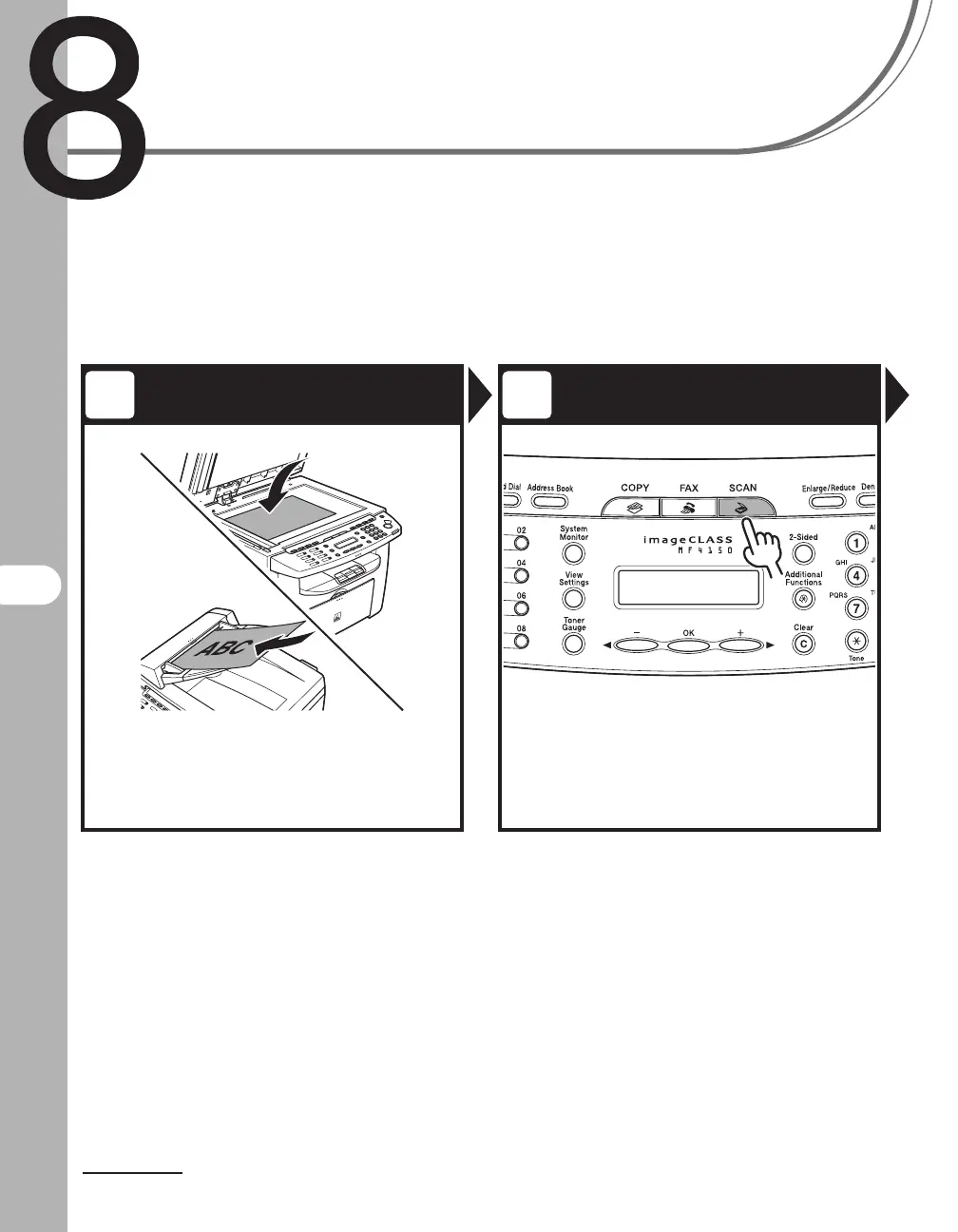
Set a Document Enter the Scan Mode
Place the document on the platen
glass or load it in the ADF.
For documents you can scan, see “Document
Requirements,” on p. 2-1.
Press [SCAN].
The SCAN indicator lights up and the machine enters
the scan standby mode.
1 2











 To Next Page