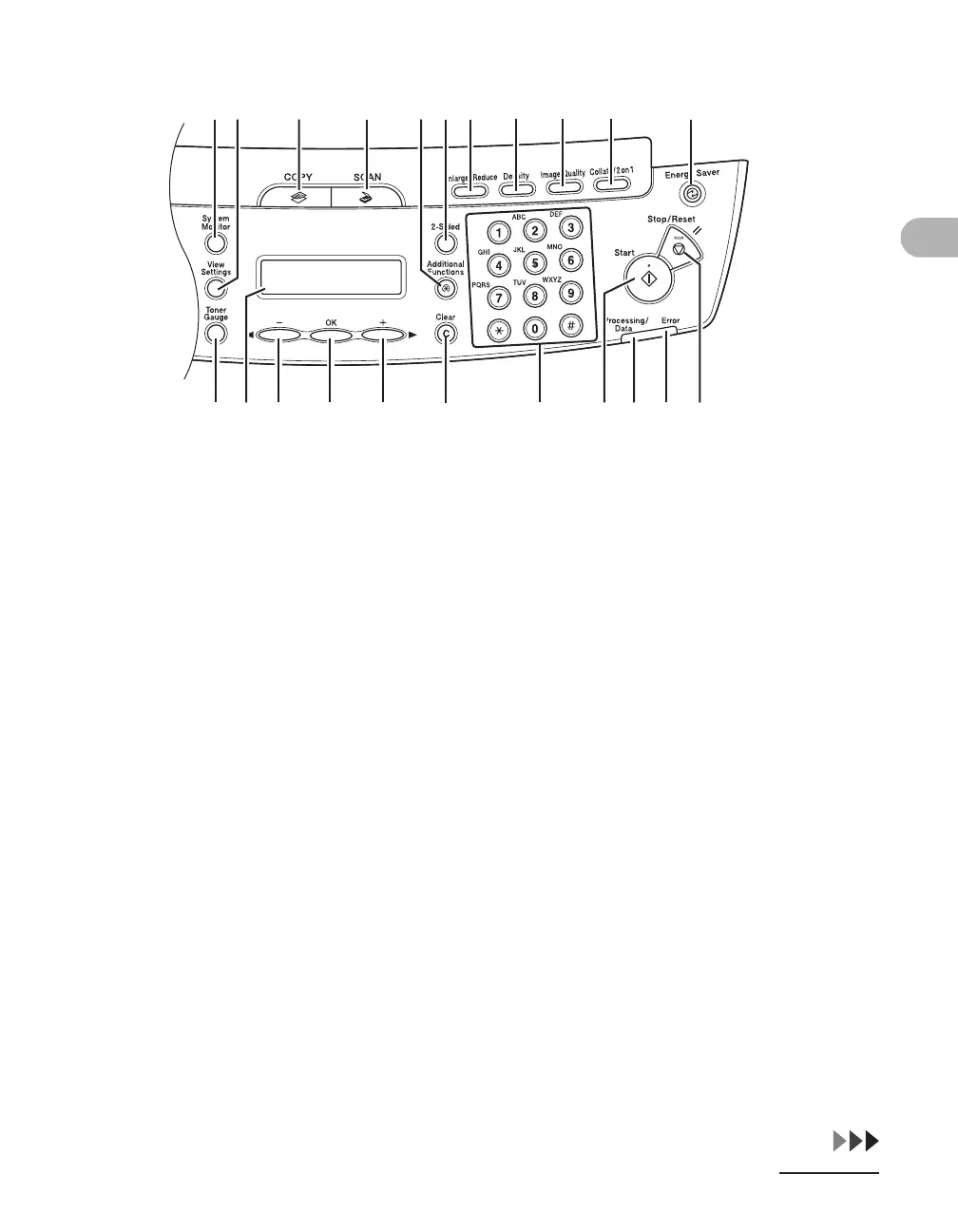
1-6
Before Using the Machine
● MF4122
A [System Monitor] key
Press to check print status, print and scan
counts.
B [View Settings] key
Press to confirm settings of the copy function.
C [COPY] key
Press to switch to the Copy mode.
D [SCAN] key
Press to switch to the Scan mode.
E [Additional Functions] key
Press to select or cancel the modes in
Additional Functions.
F [2-Sided] key
Press to set two-sided copying.
G [Enlarge/Reduce] key
Press to enlarge or reduce copy ratio.
H[Density] key
Press to adjust copy.
I [Image Quality] key
Press to select image quality for copy.
J [Collate/2 on 1] key
Press to collate copies, or press to set 2 on 1
copying.
K [Energy Saver] key
Press to set or cancel the Sleep mode
manually. The key lights green when the
Sleep mode is set, and goes off when the
mode is canceled.
L [Stop/Reset] key
Press to stop a current job. Also, press to
return the machine to the standby mode.
AB C D FEGH J KI
VT
S
R
Q
ON M L
P
U











 To Next Page